Stream Tech Integration – Quick Start Guide
End User Guide
Check the documentation guide for end users
Overview
The Stream Tech Integration connects your Linnworks account to Stream, a logistics and delivery management platform. Once set up, it automatically handles the full shipping process — from sending orders through to receiving tracking numbers — without any manual handoff.
What You Can Do
-
Automatically create orders in Stream for each fulfillment batch
-
Generate shipping labels directly from Linnworks
-
Receive tracking numbers back on each order
-
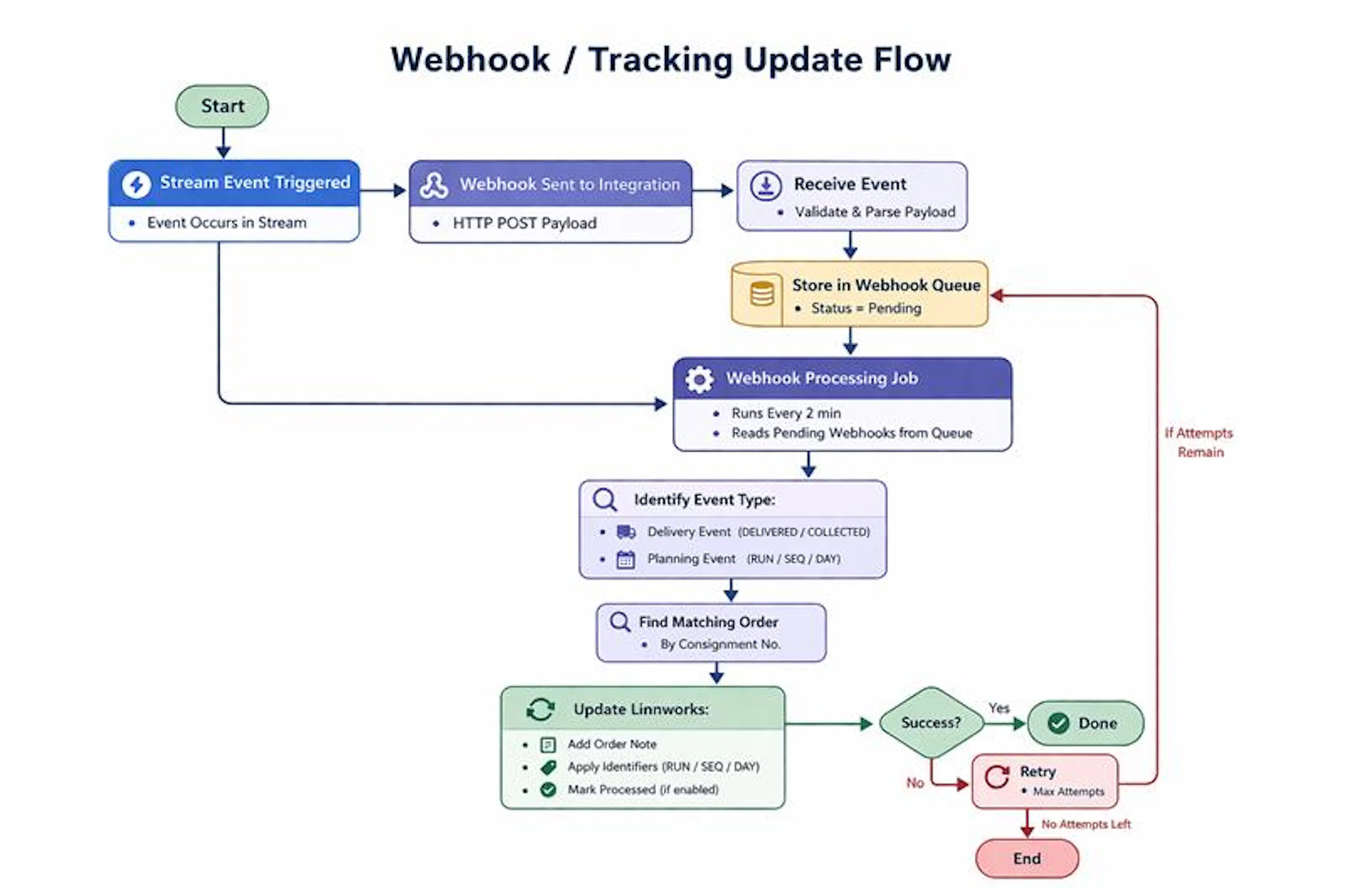
View delivery status updates as orders are collected or delivered
-
See run and sequence assignments as routes are planned
Before You Start
Make sure you have:
-
A Linnworks account with integration access
-
A Stream account with your Client ID and Client Secret
-
Shipping services configured in Stream (depot and delivery method)
-
Orders with complete delivery addresses in Linnworks
Basic Setup
-
Install the Stream Integration in your Linnworks account
-
Enter your Stream API credentials (Client ID, Client Secret, and API URL)
-
Add your sender address and contact details
-
Map your shipping services — select the correct depot and delivery method for each
-
Enable order synchronisation to start the automated flow
How It Works
Once set up, the process runs automatically:
-
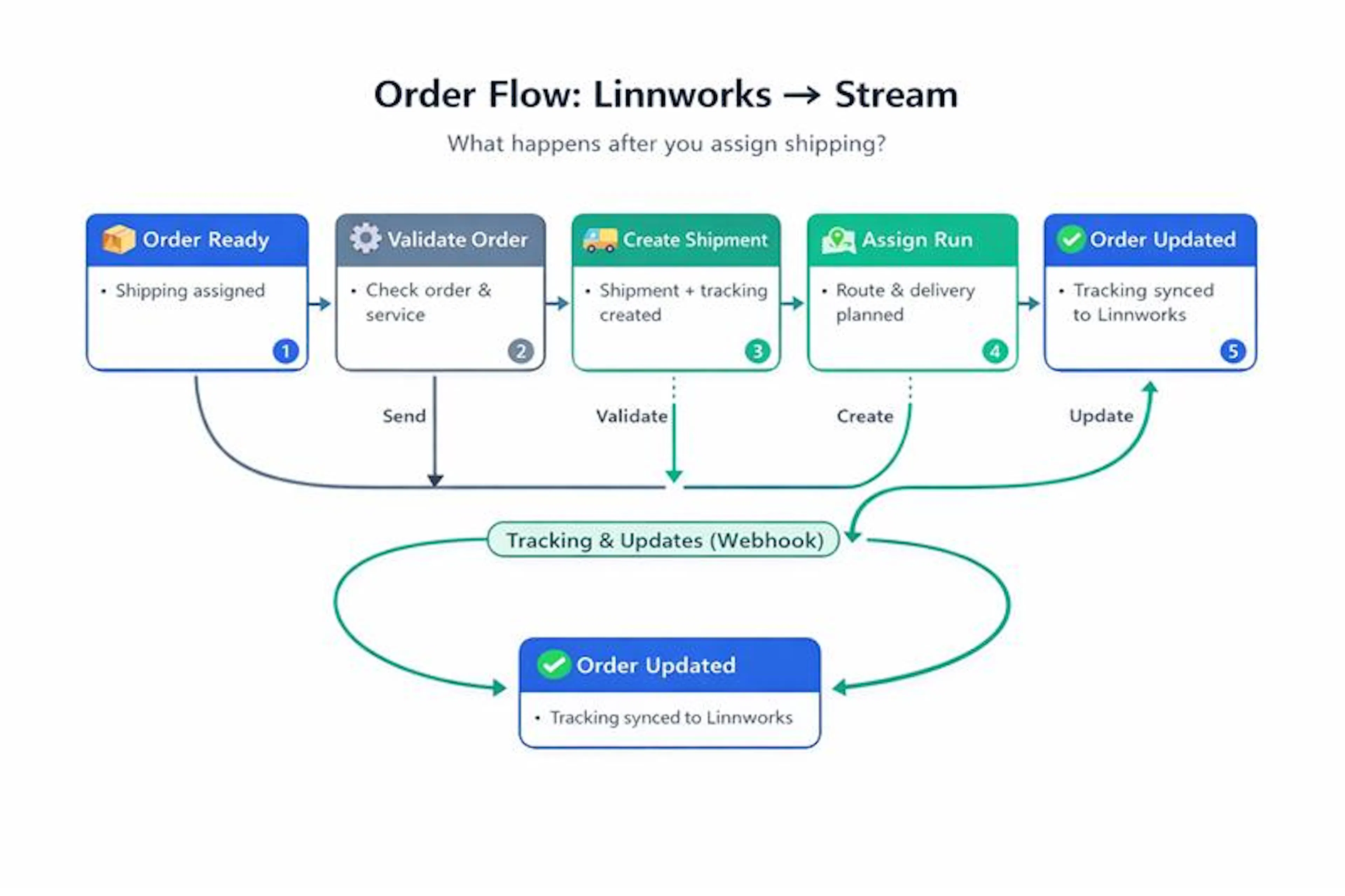
Assign a shipping service to an order in Linnworks
-
The order is picked up and sent to Stream
-
Stream creates a shipment (called a consignment)
-
A shipping label and tracking number are generated
-
Tracking details and delivery updates sync back to Linnworks automatically
What to Check First
If something looks wrong, verify:
-
A shipping service is assigned to the order
-
The delivery address is complete (street, city, postcode, country)
-
There is no "Error from Stream" identifier on the order
-
The tracking number has been received (appears after the consignment is created)
Common Issues
| Problem | Likely Cause |
|---|---|
| Order not sent to Stream | No shipping service assigned |
| "Error from Stream" on order | Invalid or incomplete order data — check the order notes for details |
| No tracking number | Shipment not yet created — wait for the next sync cycle |
| Label won't generate | Order not yet confirmed in Stream |
Quick Tips
-
Always assign a shipping service before the sync cycle runs
-
Make sure each shipping service maps to the correct depot
-
Check order notes whenever you see an error — Stream error details are written there
-
When testing, process a small batch of orders first
Summary
The Stream Tech Integration automates your entire shipping workflow. Linnworks and Stream stay in sync automatically — from order submission through to delivery confirmation.