Missing Phone Number and Email
Automatically update missing customer phone numbers and email addresses in selected Linnworks orders using predefined default values.
Incomplete customer contact information can create delays during order processing, dispatch, and courier validation. The Missing Phone Number and Email macro helps ensure selected Linnworks orders contain the required customer phone number and email address before they move further through the fulfilment process.
This macro checks each selected order, identifies missing or placeholder contact details, and applies predefined default values where required. By automating this process, your team can reduce manual corrections, improve dispatch readiness, and avoid unnecessary fulfilment delays.
With this automated approach, you can maintain cleaner order data and ensure selected orders are updated consistently before dispatch.
Keep order contact information complete by automatically filling missing phone numbers and email addresses before fulfilment.
Configure the Macro
Once the app is installed, you need to create a macro configuration so the system knows which macro to run, when to run it, and which default contact details should be applied.
This setup can be adjusted anytime based on your operational requirements.
Steps to Configure
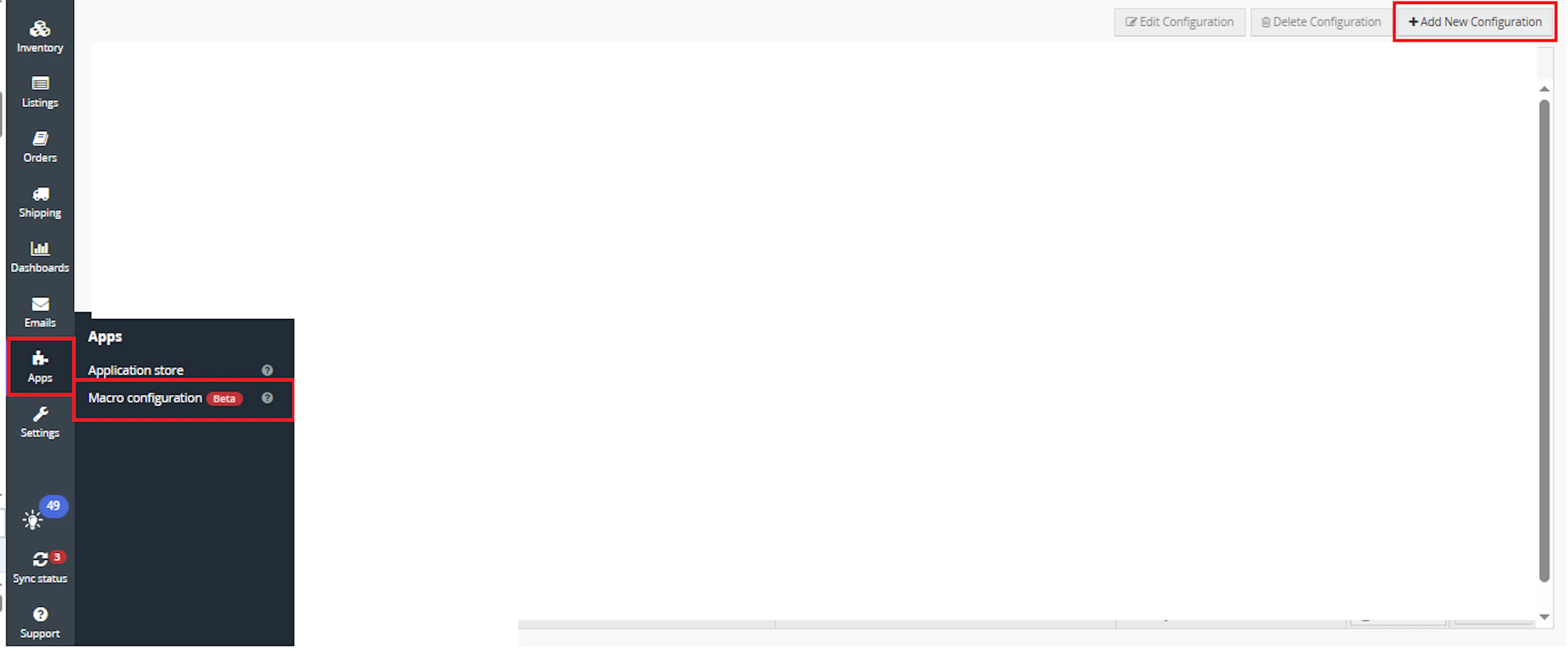
Go to Apps > Macro Configuration and click + Add new configuration.
Select the AddMissingPhoneAndEmail macro and click Create Configuration
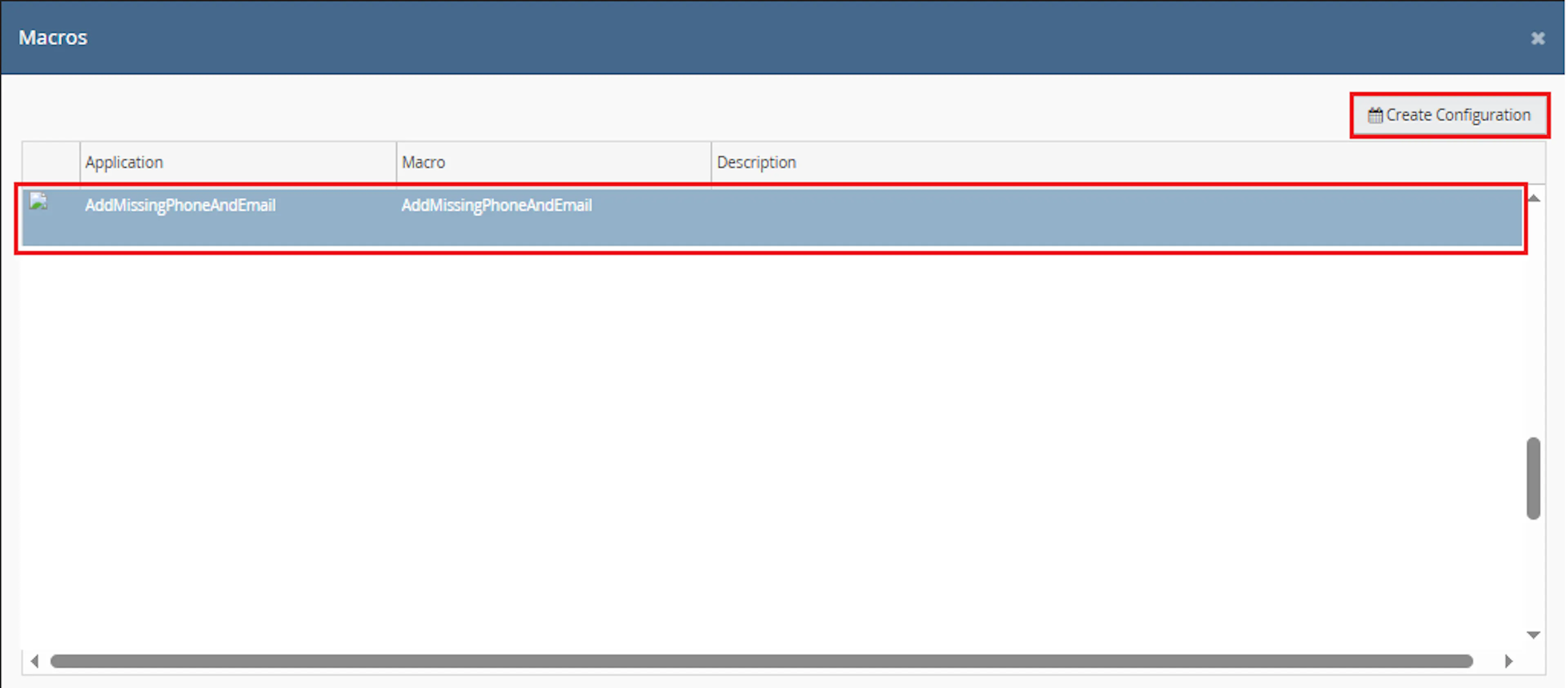
This creates a new configuration where you can define the schedule and required parameter values.
In the Macro Configuration screen, add the configuration name and parameter values.
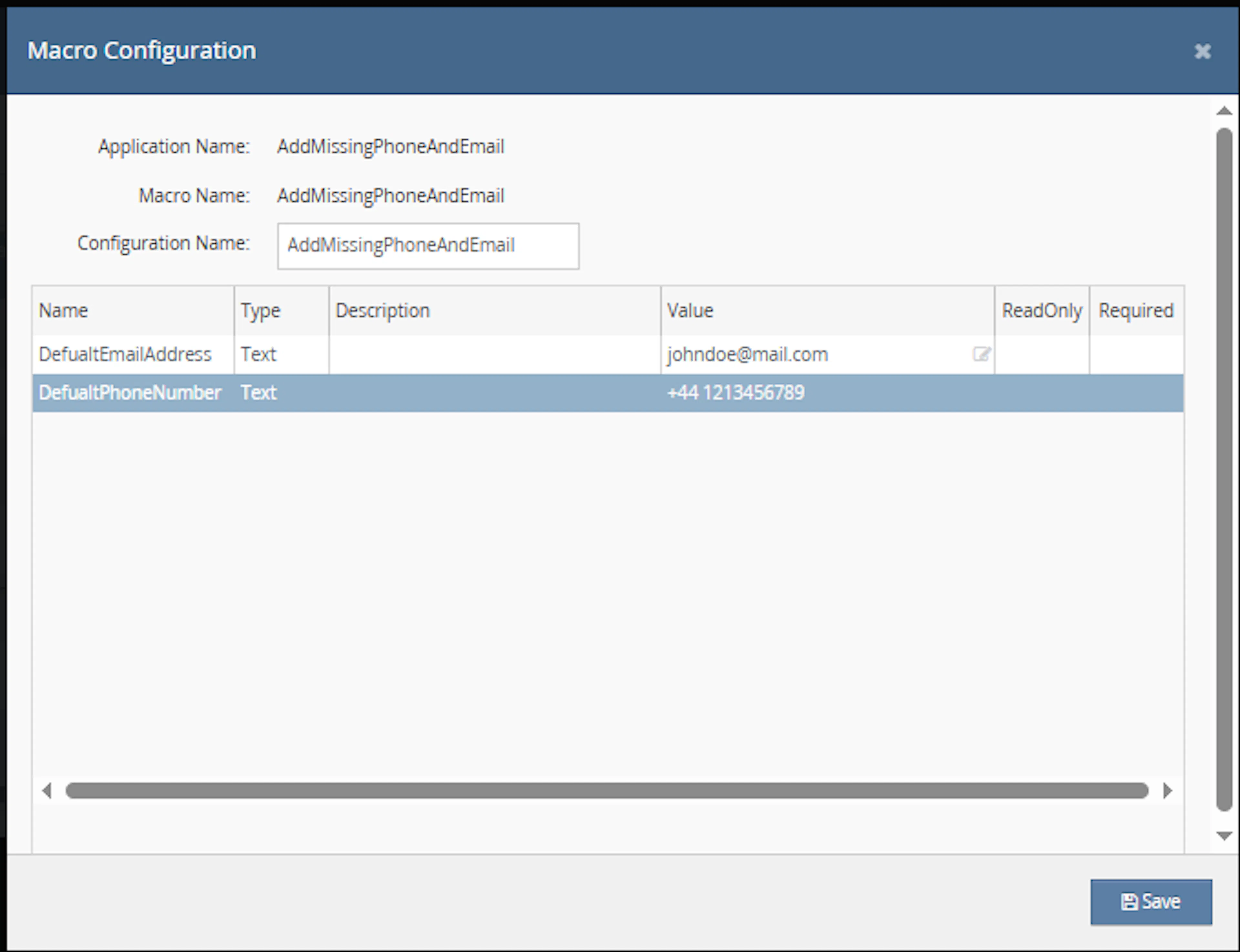
Make sure to enable the macro to continue with the Rule Engine configuration.

Note: If the macro is not enabled, it will not appear in the Action value list when setting up the rule.
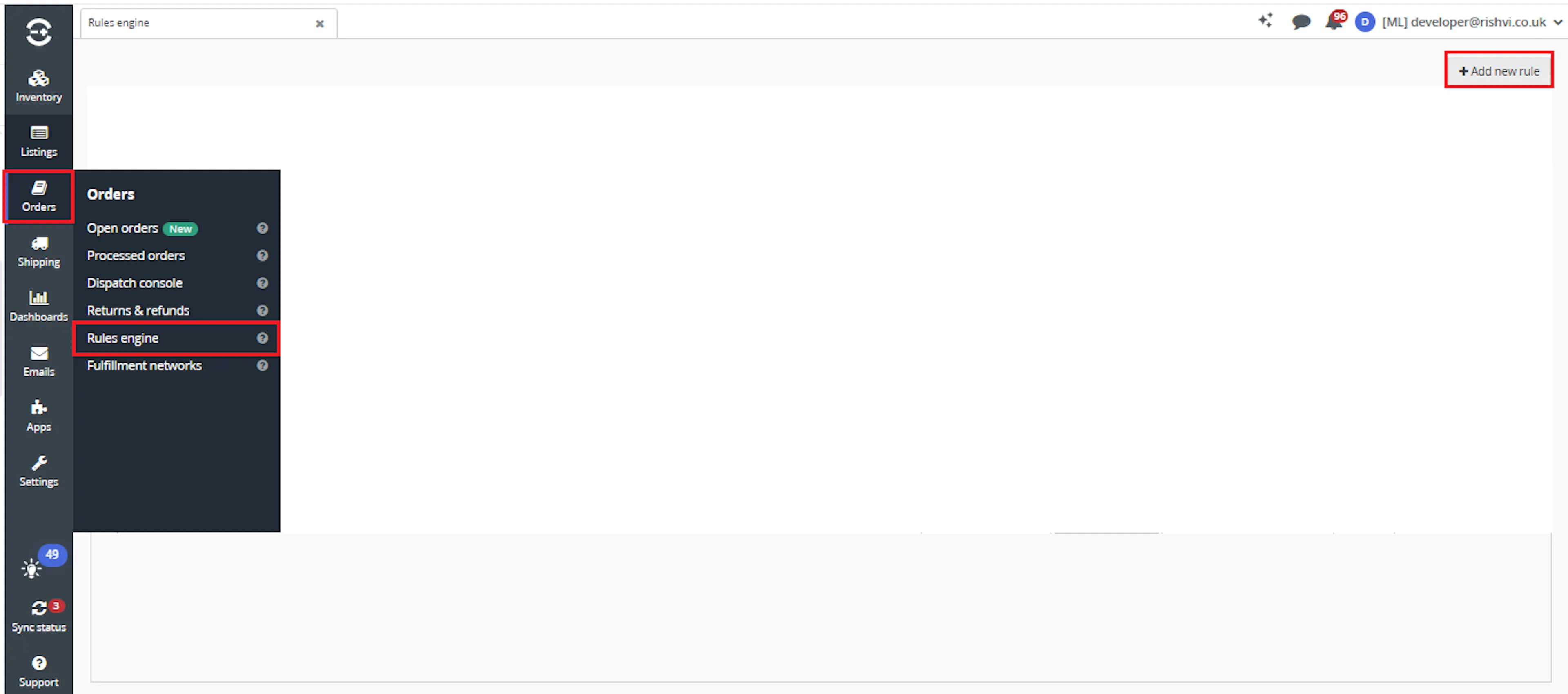
Go to Orders > Rules engine and click + Add new rule.
Key Benefits
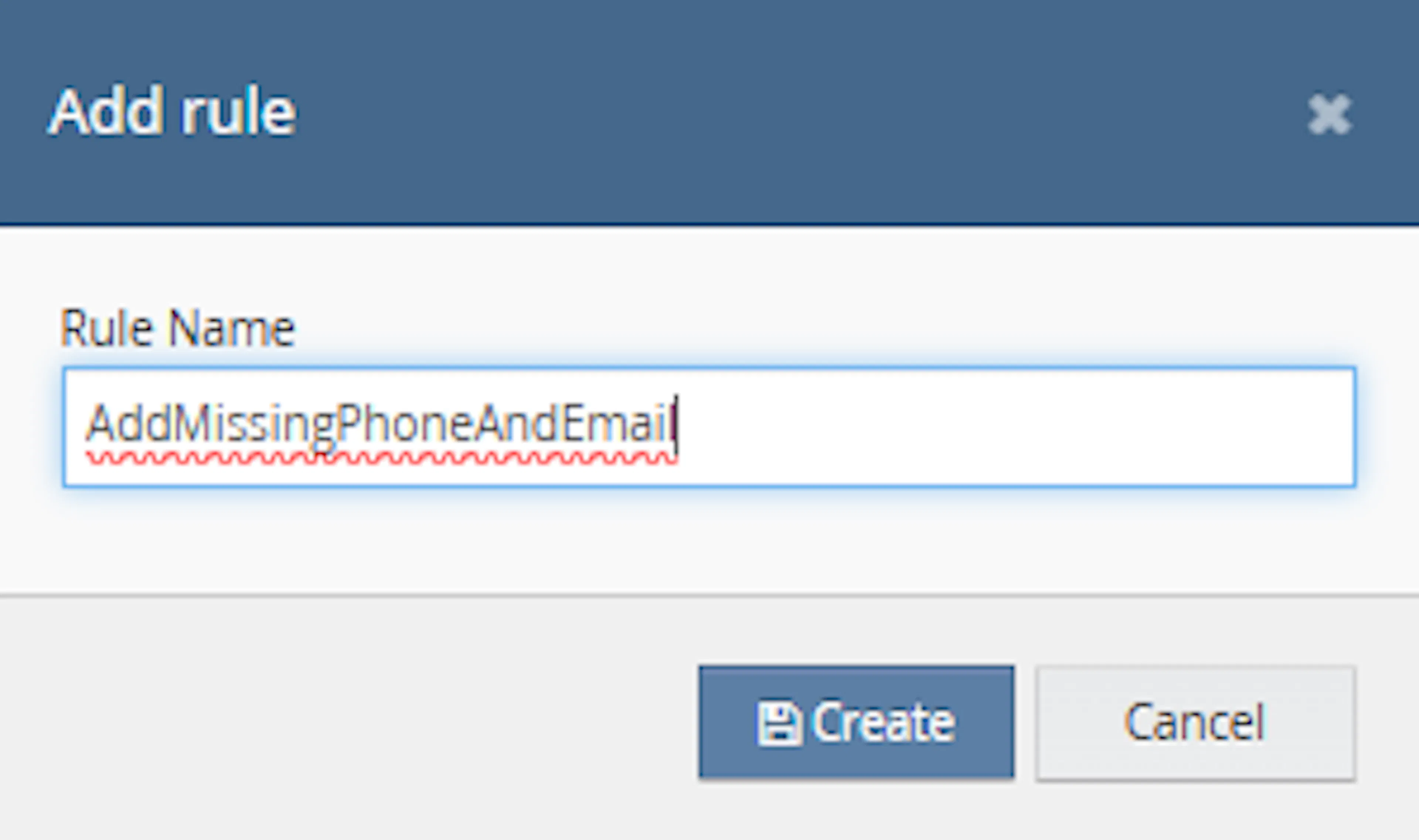
Enter the rule name and click Create.
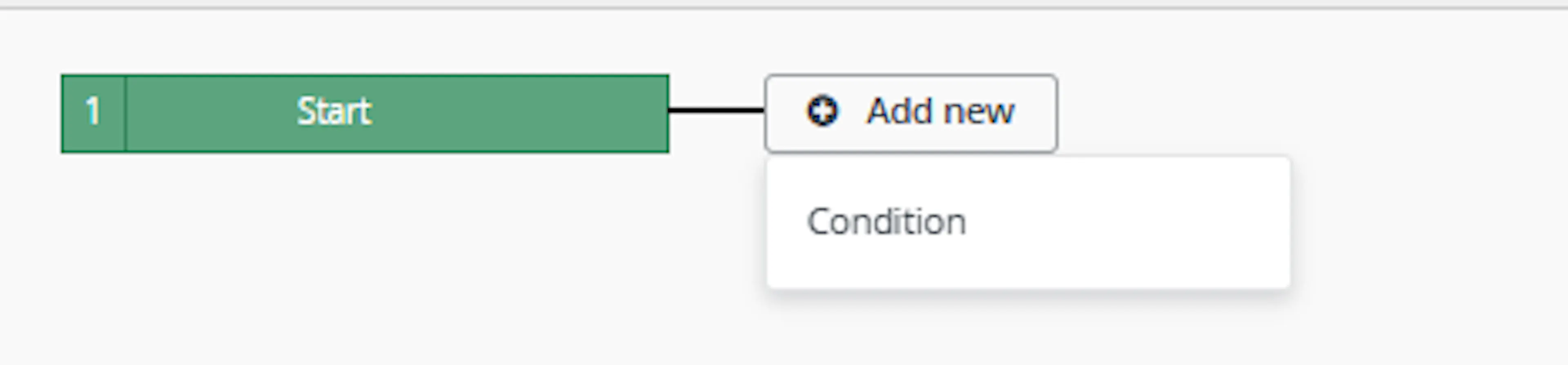
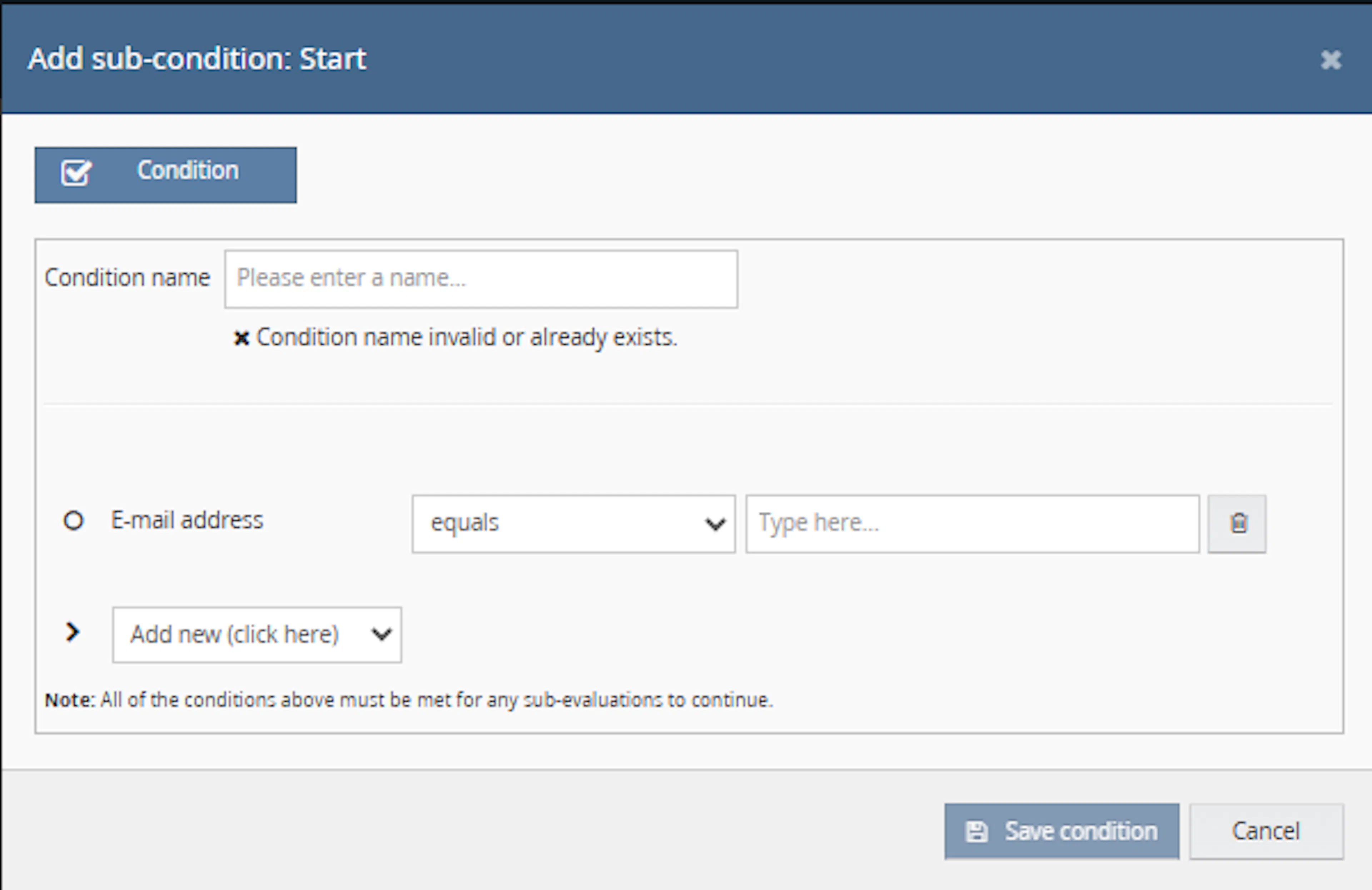
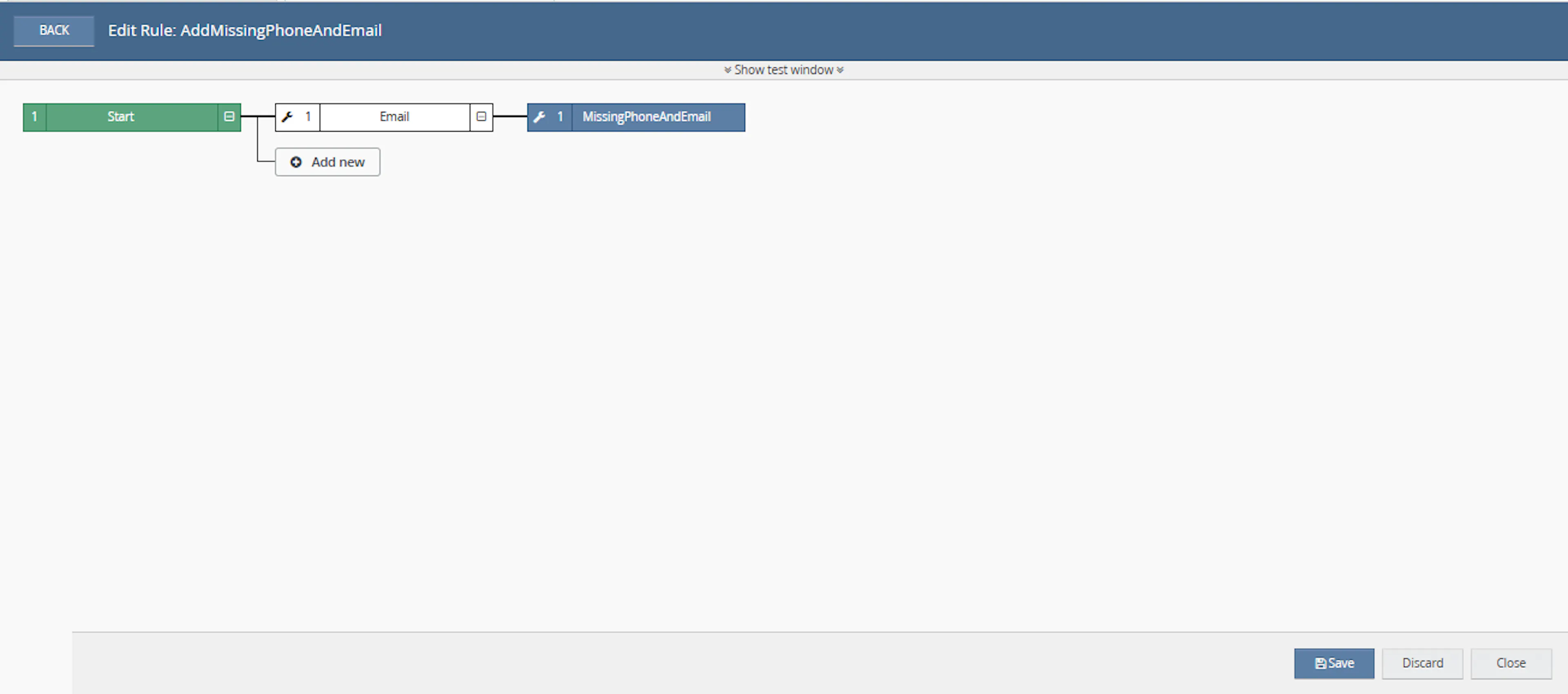
Click Add new, select Condition, set the condition as required, and save it.
Add the macro action and click Save.

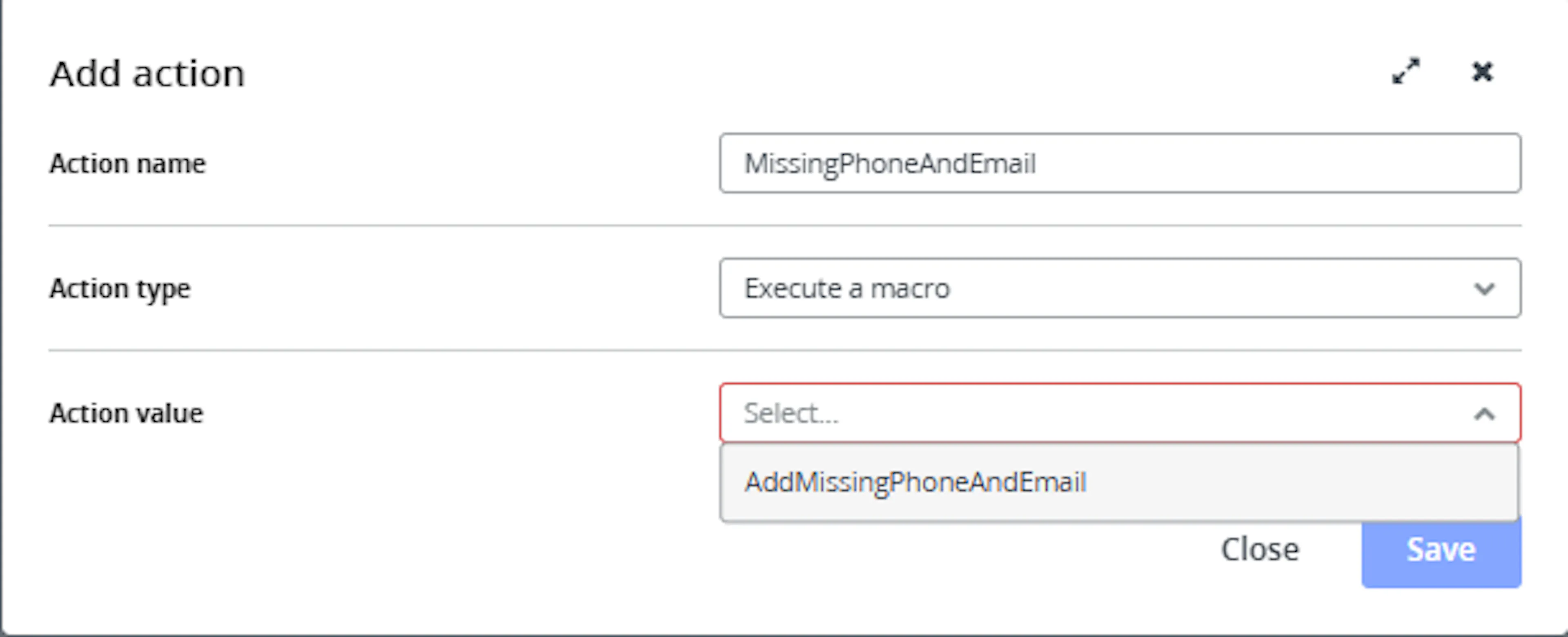
In the Add action window, enter the Action name, for example:
MissingPhoneAndEmail
-
Set Action type to:
Execute a macro -
In Action value, select:
AddMissingPhoneAndEmail -
Click Save
Note: If the macro is not enabled, it will not appear in the Action value list when setting up the rule.
Review the saved rule setup.
-
Verify the condition and action are connected correctly
-
Click Save in the bottom-right corner to save the rule
Missing phone numbers and email addresses can cause operational issues, especially when couriers or fulfilment teams require complete customer contact details. This macro helps reduce those issues by automatically correcting selected orders.
Reduce Manual Order Checks
Eliminates the need to manually open each selected order and check whether customer phone numbers or email addresses are missing.
Improve Dispatch Readiness
Ensures selected orders contain the contact information needed before dispatch processing begins.
Prevent Courier Issues
Helps avoid courier validation problems caused by missing phone numbers or email addresses.
Maintain Cleaner Order Data
Keeps customer contact fields more consistent by applying predefined default values where data is missing.
Save Operational Time
Allows teams to correct multiple orders in one macro run instead of updating each order manually.
Update Only When Needed
The macro updates an order only when the phone number or email address needs to be changed.
How It Works
The macro checks each selected order and updates only the missing or placeholder contact fields. It does not overwrite existing valid contact details.
Step 1
The macro starts execution and writes Macro Start to the log.
Step 2
It loops through each order ID provided in the OrderIds parameter.
Step 3
For each order, the macro retrieves the order details using the Linnworks Orders API.
Step 4
It checks the customer phone number. If the value is empty or equals Phone number: N/A, the macro applies the configured default phone number.
Step 5
It checks the customer email address. If the email address is empty, the macro applies the configured default email address.
Step 6
If any contact information was changed, the macro saves the updated customer information back to the order.
Step 7
The macro logs any errors and writes Macro Finished when execution ends.
Usage of App
This macro is designed to update selected orders automatically once the required parameters are configured. It is useful before dispatch, during order validation, or whenever selected orders need contact information cleanup.
OrderIds
Defines the Linnworks order IDs that should be processed. Only these selected orders are checked and updated.
DefualtPhoneNumber
Defines the phone number that will be applied when an order has an empty phone number or the placeholder value Phone number: N/A.
DefualtEmailAddress
Defines the email address that will be applied when an order has no customer email address.
Order Update Behaviour
The macro updates customer information only when at least one contact field has changed.
Execution Logging
The macro records the start, errors, and completion of the process using the macro logger.
Key Points to Remember
-
The macro processes only the order IDs provided in OrderIds
-
Existing valid phone numbers are not overwritten
-
Existing valid email addresses are not overwritten
-
Phone numbers are updated only when empty or set to Phone number: N/A
-
Email addresses are updated only when empty
-
The parameter names in the code are spelled DefualtPhoneNumber and DefualtEmailAddress
Once the macro is running, it helps ensure selected orders have the basic customer contact details required for smooth order processing.
What You Can Expect
-
Missing phone numbers are automatically updated
Orders with empty phone numbers or the placeholder value Phone number: N/A receive the configured default phone number -
Missing email addresses are automatically updated
Orders without an email address receive the configured default email address -
Only required updates are saved
Orders are updated only when customer contact information changes -
Execution is logged
The macro records when it starts, finishes, and if an error occurs -
Improved dispatch preparation
Orders are more likely to contain the contact details required before fulfilment
Overall Impact
This macro improves order data completeness, reduces manual corrections, and helps prevent dispatch delays caused by missing customer phone numbers or email addresses.
What To Do After the Macro Runs
After the macro has completed, review the selected orders if needed to confirm that missing contact information has been populated correctly.
Steps to Follow
Step 1
Open Linnworks and locate the orders included in the OrderIds parameter.
Step 2
Review the customer contact details on the affected orders.
Step 3
Confirm that missing phone numbers were replaced with the configured default phone number.
Step 4
Confirm that missing email addresses were replaced with the configured default email address.
Step 5
Continue with normal order validation, picking, packing, or dispatch processing.
Why This Matters
Keeping contact details complete helps:
-
Reduce courier-related validation issues
-
Prevent dispatch delays
-
Avoid manual order correction
-
Improve order processing accuracy
-
Keep customer information consistent
Best Practices
To get the most value from this macro, configure default values carefully and use the macro as part of your order validation process.
Recommended Guidelines
-
Use realistic default values
Make sure the default phone number and email address are accepted by your operational workflow and courier requirements -
Run before dispatch
Use the macro before dispatch processing so contact details are corrected before labels or courier services are applied -
Review selected orders carefully
Ensure the correct order IDs are passed into the macro before running it -
Avoid using customer-specific defaults
Since the macro applies predefined values, use only approved generic values where appropriate -
Check logs after execution
Review macro logs to confirm successful completion or identify any errors
Correct contact information helps keep order processing smooth and reduces avoidable fulfilment delays.
Example Scenario
To better understand how this works, here’s a simple example:
Configured values:
-
DefualtPhoneNumber = 0000000000
-
DefualtEmailAddress = noemail@example.com
Selected orders:
-
Order A has no phone number and no email address → Both fields are updated
-
Order B has Phone number: N/A and a valid email address → Phone number is updated only
-
Order C has a valid phone number and no email address → Email address is updated only
-
Order D has both phone number and email address → No update is made
What This Means
-
Only missing or placeholder contact values are updated
-
Existing valid customer contact details are preserved
-
Your team can focus on processing orders instead of manually correcting contact fields
Final Summary
The Missing Phone Number and Email macro helps keep selected Linnworks orders ready for dispatch by automatically filling missing customer contact details with predefined default values.
By reducing manual checks, improving data completeness, and updating only the orders that require correction, this macro supports smoother fulfilment and more reliable order processing.