Bill To Change Based on SubSource
Automatically update the billing address on selected Linnworks orders based on the order subsource and predefined billing address values.
Billing address details may need to be standardised or replaced for specific sales channels, marketplaces, or subsources. Updating these details manually can take time and may lead to inconsistent billing information across orders.
The Macro helps automate this process by checking the order subsource and applying predefined billing address values when a matching subsource is found.
This macro uses comma-separated parameter values, allowing multiple subsources and billing address profiles to be configured in one macro setup.
Keep billing address information consistent by automatically updating order billing details based on the order subsource.
Configure the Macro
Once the app is installed, you need to create a macro configuration so the system knows which macro to run and which billing address values should be applied for each subsource.
This setup can be adjusted anytime based on your operational requirements.
Steps to Configure
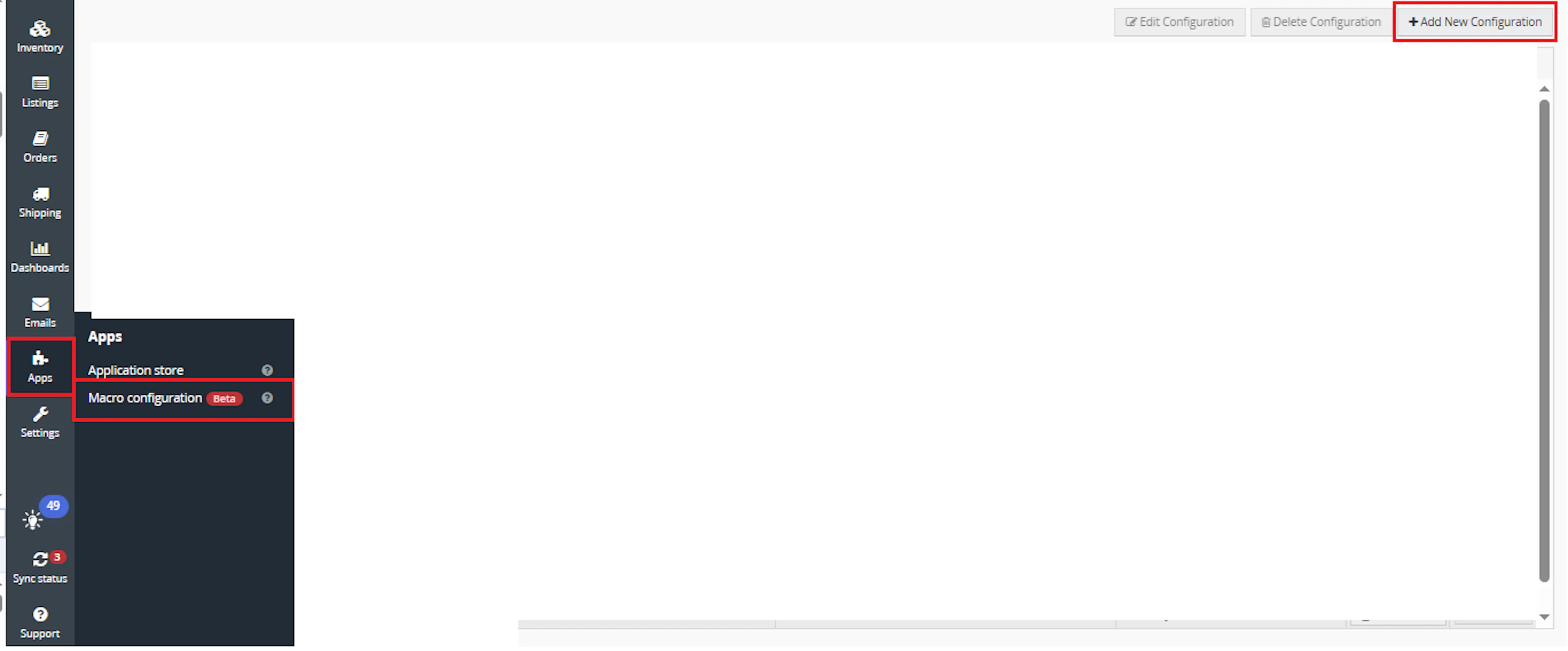
Go to Apps > Macro Configuration and click + Add new configuration.
Select the BillToChangeBasedonSubsource macro and click Create Configuration.
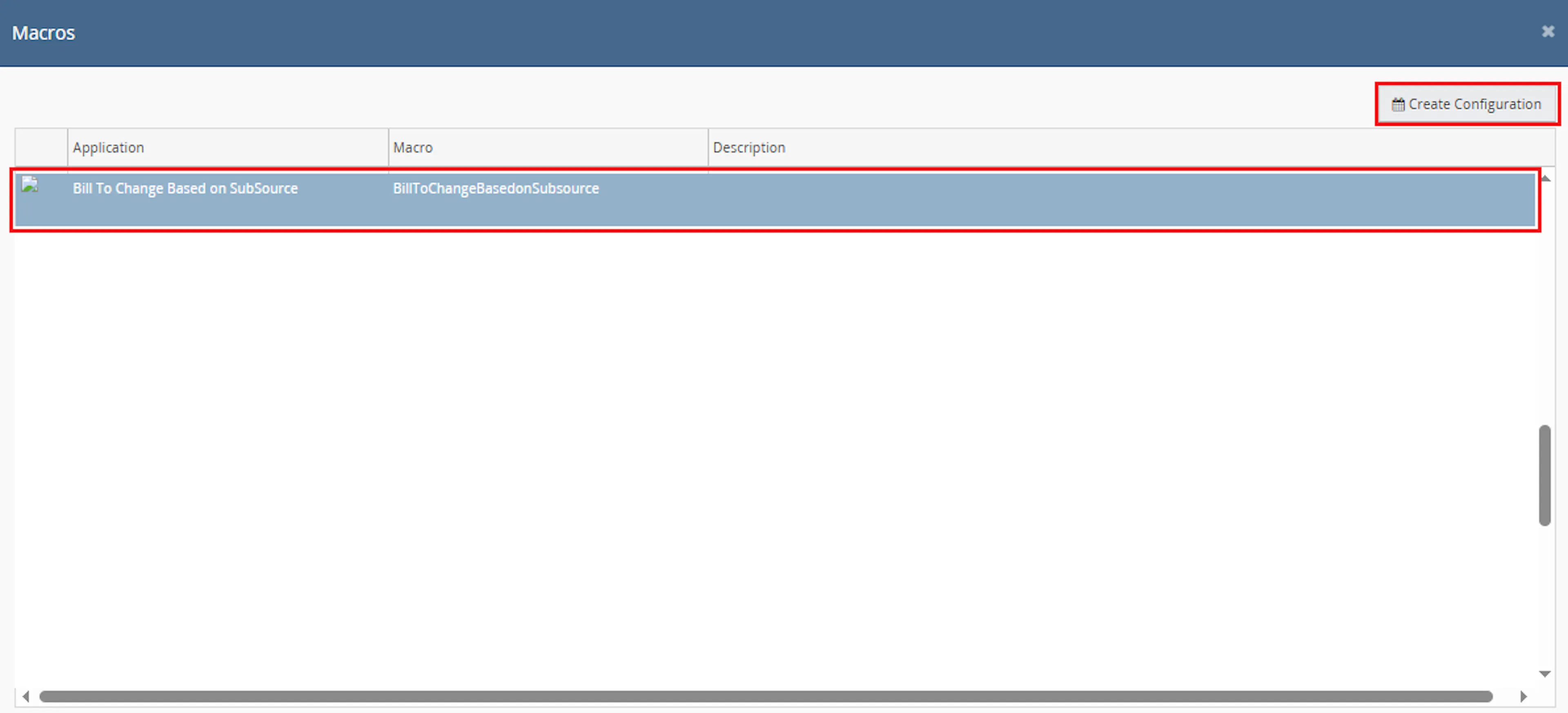
This creates a new configuration where you can define the required parameter values.
In the Macro Configuration screen, add the configuration name and parameter values.
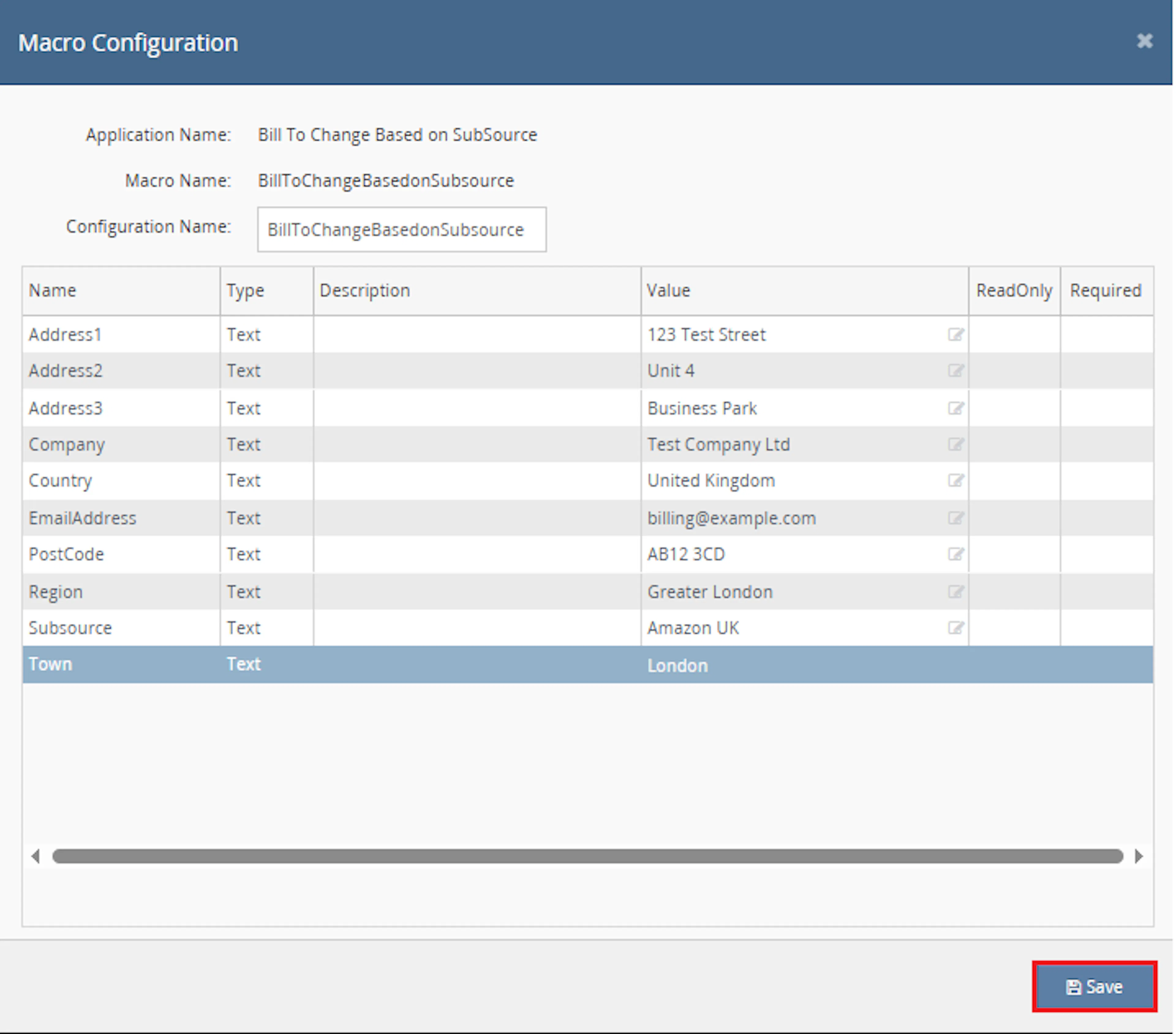
Configure the required parameters, including:
-
Subsource
-
EmailAddress
-
Address1
-
Address2
-
Address3
-
Town
-
Region
-
PostCode
-
Company
-
Country
Note: These values are comma-separated lists. Each list must contain values in the same order so the correct billing address is applied to the matching subsource.
Make sure to enable the macro to continue with the Rule Engine configuration.

Note: If the macro is not enabled, it will not appear in the Action value list when setting up the rule.
Go to Orders > Rules engine and click + Add new rule.
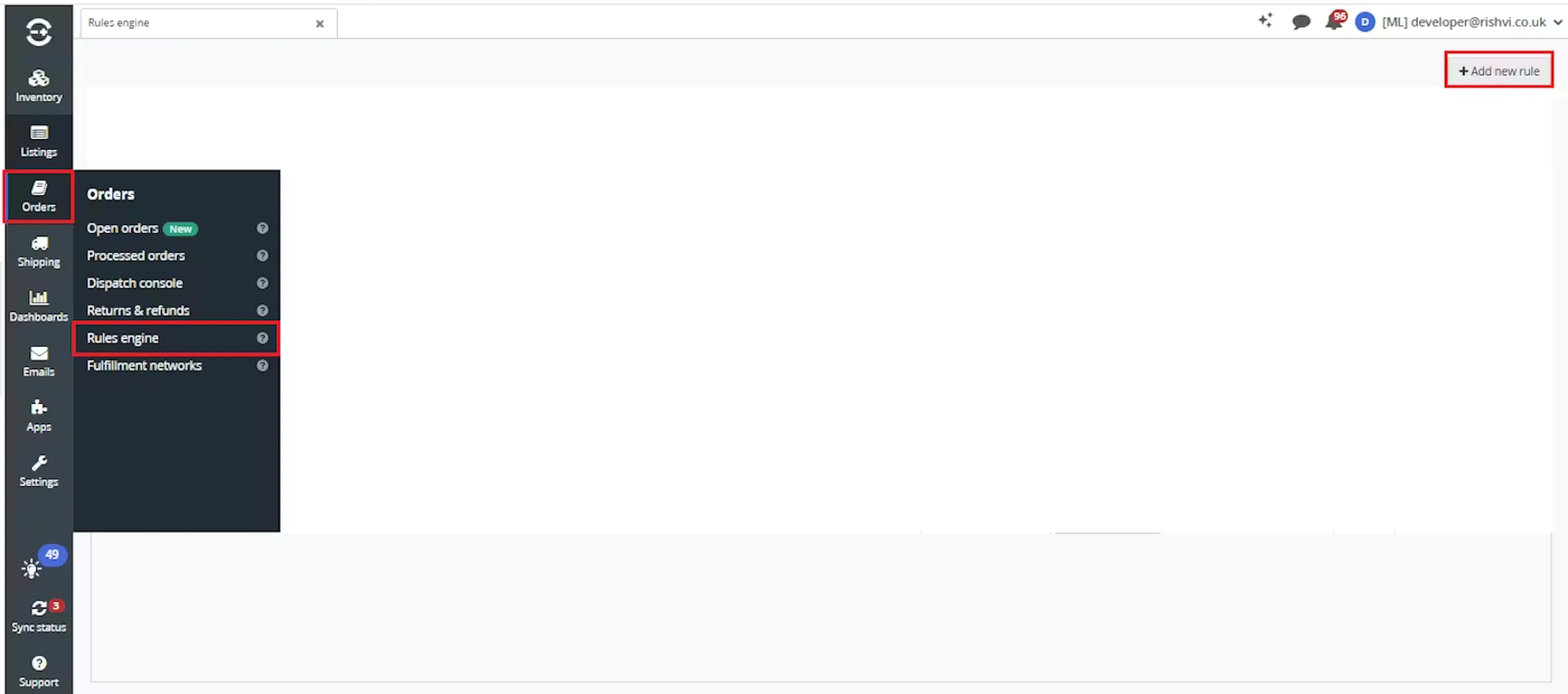
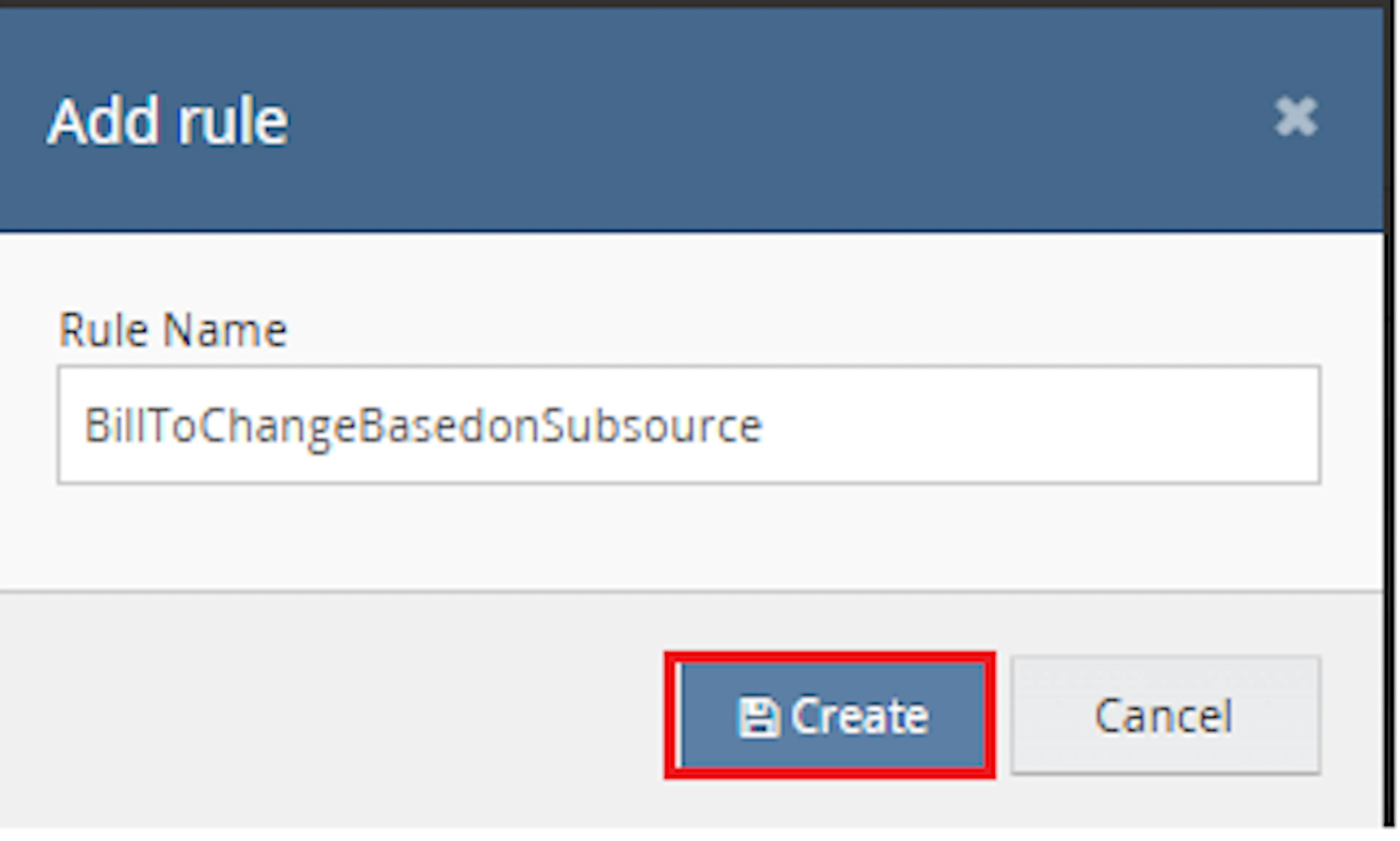
Enter the rule name and click Create.
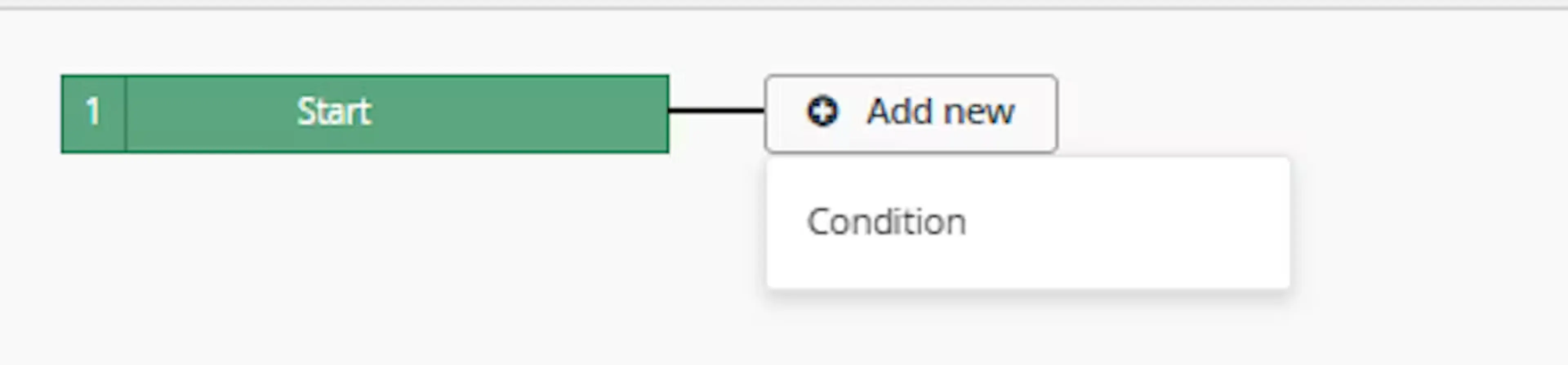
Click Add new, select Condition, set the condition as required, and save it.
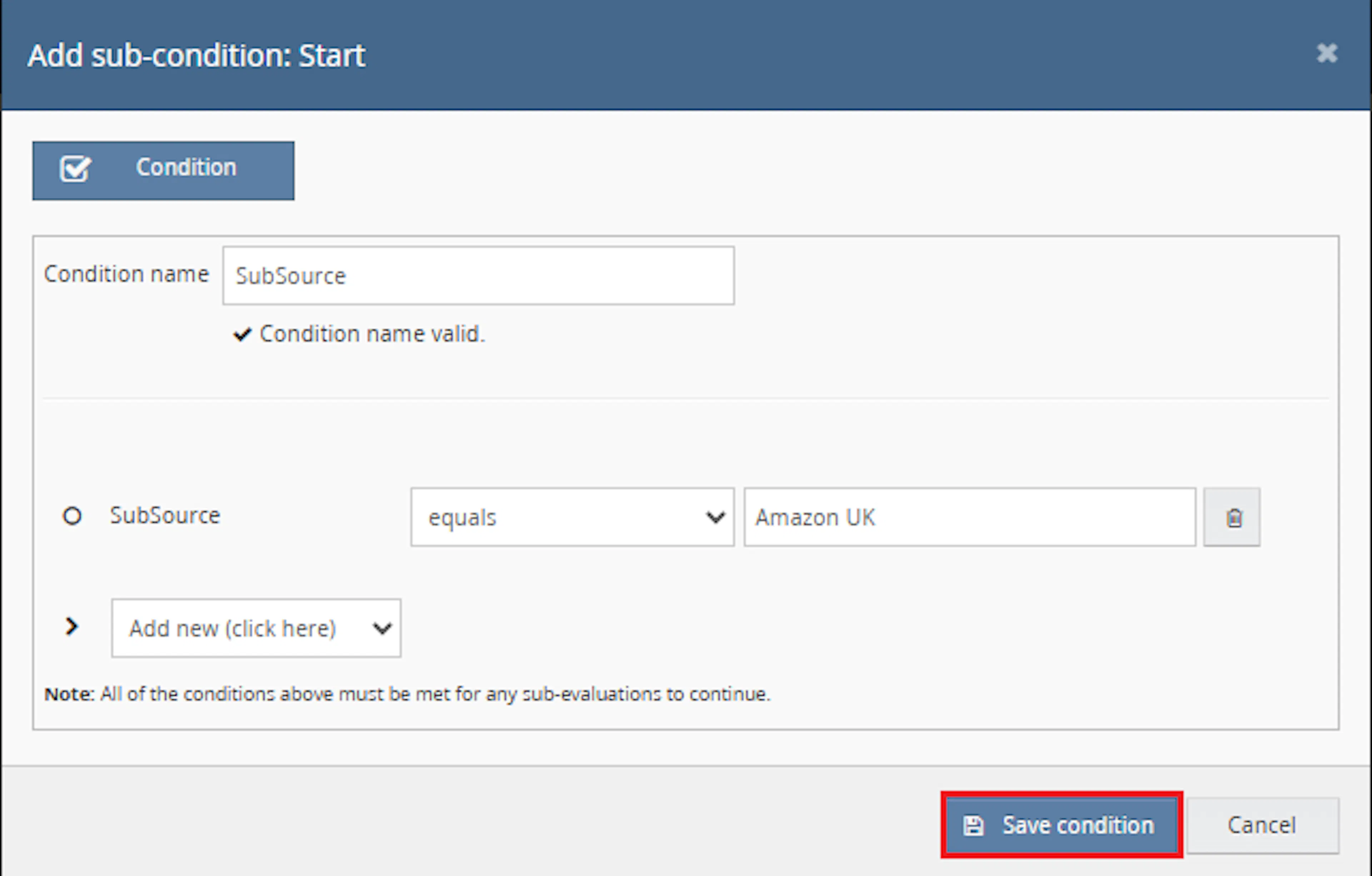
Use conditions that target orders where the billing address should be replaced based on subsource.
Add the macro action and click Save.

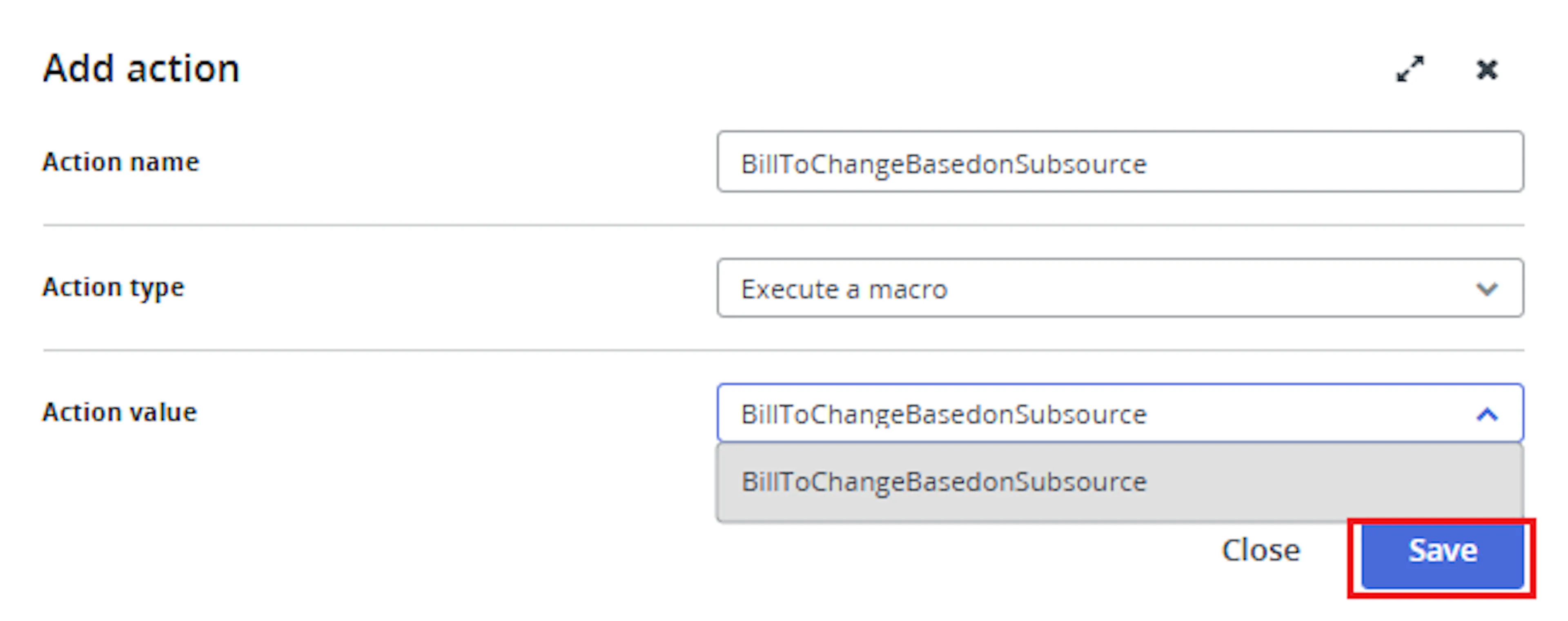
In the Add action window, enter the Action name, for example:
BillToChangeBasedonSubsource
-
Set Action type to:
Execute a macro -
In Action value, select:
BillToChangeBasedonSubsource
-
Click Save
Note: If the macro is not enabled, it will not appear in the Action value list when setting up the rule.
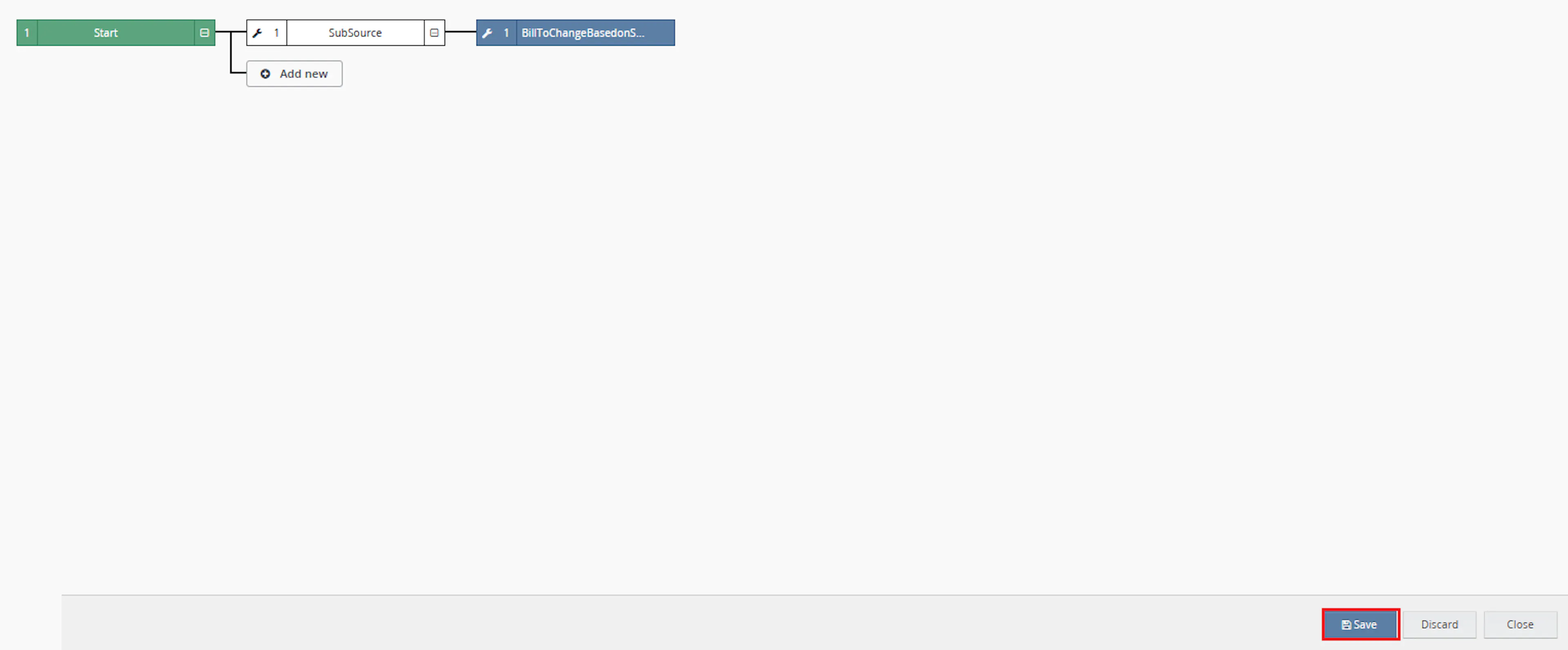
Review the saved rule setup.
-
Verify the condition and action are connected correctly
-
Click Save in the bottom-right corner to save the rule
Billing address updates can be useful when specific subsources require predefined company, address, or contact details. This macro helps apply those values automatically when the order subsource matches a configured entry.
Reduce Manual Billing Updates
Eliminates the need to manually edit billing address details on matching orders.
Update by Subsource
Applies billing address values based on the order subsource.
Support Multiple Profiles
Allows multiple subsources and billing address values to be configured using comma-separated parameter lists.
Maintain Consistent Billing Details
Helps keep billing information consistent for specific sales channels or marketplace subsources.
Use Existing Customer Details
Keeps the customer full name and phone number from the original shipping address.
Handle Optional Fields
Uses NA to clear fields that should not be populated in the updated billing address.
How It Works
The macro checks the order subsource, finds the matching configured billing address profile, and updates the order billing address.
Step 1
The macro starts execution and writes Macro Start to the log.
Step 2
The macro splits each configured parameter into comma-separated lists.
Step 3
It retrieves the order using the provided OrderId.
Step 4
The macro checks whether the order subsource exists in the configured Subsource list.
Step 5
If a matching subsource is found, the macro uses the matching list index to build the updated billing address.
Step 6
For each billing address field, the macro applies the configured value unless the value is NA.
Step 7
If a configured value is NA, the macro sets that billing address field to an empty value.
Step 8
The macro keeps FullName and PhoneNumber from the order shipping address.
Step 9
The macro updates the order billing address using the Linnworks Orders API.
Step 10
The macro logs Billing Address has been Updated and writes Macro Finished when execution ends.
Usage of App
This macro is designed to update a single order billing address when executed by the Rule Engine. It is useful when billing address details need to be replaced for specific order subsources.
OrderId
Defines the Linnworks order ID that should be processed.
Subsource
Defines the comma-separated list of order subsources that should trigger billing address updates.
EmailAddress
Defines the billing email address values. Each value must align with the matching subsource position.
Address1
Defines the first billing address line values.
Address2
Defines the second billing address line values.
Address3
Defines the third billing address line values.
Town
Defines the billing town values.
Region
Defines the billing region values.
PostCode
Defines the billing postcode values.
Company
Defines the billing company values.
Country
Defines the billing country values.
NA Field Behaviour
When a configured value is NA, the macro sets the corresponding billing address field to blank.
Execution Logging
The macro records start, billing update confirmation, errors, and completion status using the macro logger.
Key Points to Remember
-
The macro processes one OrderId
-
The macro is intended to run from the Rule Engine
-
Billing address values are selected based on the order SubSource
-
All parameter lists are split by commas
-
Parameter values must be entered in matching order across all lists
-
The macro uses the matching subsource index to select the correct billing values
-
A value of NA is converted to an empty field
-
FullName is copied from the shipping address full name
-
PhoneNumber is copied from the shipping address phone number
-
Continent is set to blank
-
The macro logs when the billing address has been updated
-
The macro code calls the billing address update when the order is found
Important: Make sure all comma-separated parameter lists contain the same number of values. If the lists are not aligned, the macro may apply incorrect billing details or fail when reading a missing list value.
Important: Configure the Rule Engine carefully so the macro only runs on orders with matching subsources. In the provided code, the billing address update call runs when the order is found.
What You Can Expect
-
Billing address is updated for matching subsources
When the order subsource matches a configured value, the macro applies the corresponding billing address profile. -
Configured NA values are cleared
Any field configured as NA is saved as blank. -
Customer name and phone are retained
The macro copies the full name and phone number from the shipping address. -
Multiple subsources can be configured
Comma-separated lists allow several subsource-to-address mappings in one configuration. -
Execution is logged
The macro records when it starts, finishes, and if an error occurs.
Overall Impact
This macro improves billing address consistency by automatically applying predefined billing details based on order subsource. It reduces manual edits and helps ensure orders from specific subsources use the correct billing information.
What To Do After the Macro Runs
After the macro has completed, review the processed order if needed to confirm that the billing address was updated correctly.
Steps to Follow
Step 1
Open Linnworks and locate the order processed by the rule.
Step 2
Open the order customer or billing address details.
Step 3
Confirm that the order subsource matches one of the configured Subsource values.
Step 4
Confirm that the billing address fields match the configured values for that subsource.
Step 5
Continue with normal order validation, fulfilment, invoicing, or dispatch processing.
Why This Matters
Keeping billing details consistent helps:
-
Reduce manual billing address edits
-
Apply correct billing information by subsource
-
Improve order data consistency
-
Support invoice or dispatch workflows
-
Reduce errors caused by incorrect billing address values
Best Practices
To get the most value from this macro, configure all parameter lists carefully and test with sample orders.
Recommended Guidelines
-
Keep parameter lists aligned
Every comma-separated list should have the same number of values and follow the same order as Subsource. -
Use NA intentionally
Use NA only when the field should be saved as blank. -
Avoid commas inside address values
Since the macro splits values by comma, avoid using commas inside individual address fields. -
Use clear rule conditions
Configure the Rule Engine so the macro runs only for orders that should receive billing address updates. -
Test with one subsource first
Confirm the billing address updates correctly before adding multiple subsource mappings. -
Review billing address after setup
Check sample orders to ensure the correct index mapping is being applied.
Troubleshooting
Billing address did not update as expected
Confirm that the order subsource exactly matches one of the configured Subsource values.
Wrong billing details were applied
Check that all comma-separated parameter lists are in the same order and contain the same number of values.
Field was saved blank
Check whether the configured value for that field is NA. The macro converts NA to an empty value.
Macro is not visible in the Rule Engine
Confirm that the macro configuration has been created and enabled in Apps > Macro Configuration.
Macro error occurred
Review the macro logs. Errors may occur if parameter lists are not aligned or a required list value is missing.
Subsource does not match
Confirm the spelling and spacing of the configured Subsource value matches the order subsource exactly.
Summary
The* Macro* updates the billing address on a Linnworks order based on the order subsource. It uses comma-separated configuration values to map each subsource to a predefined billing address profile.
This helps reduce manual updates, improve billing consistency, and ensure orders from specific subsources use the correct billing details.