Shopify External Reference Update
Extract the Note value from Linnworks order XML and automatically update the order External Reference Number. Preserve previous references in order notes and process only matching SubSource orders through the Rule Engine.
Overview
Shopify External Reference Update is an automated order-reference management solution for Linnworks. It extracts the value stored in the order XML Note node and applies it to the order External Reference Number.
The macro processes selected orders supplied through the Linnworks Rule Engine. It validates that each order belongs to the configured SubSource, retrieves the first available XML record, parses the XML, and searches for a valid Note value.
Before replacing an existing External Reference Number, the macro preserves the previous value in an internal order note. It also avoids unnecessary updates when the current External Reference Number already matches the extracted XML Note value.
Keep Linnworks external references aligned with marketplace XML data while preserving previous reference values for audit visibility.
Who Should Use Shopify External Reference Update
Warehouse & Fulfilment Teams
Teams responsible for processing and dispatch can use the macro to ensure marketplace reference information is available directly on the Linnworks order.
Customer Service Teams
Customer service teams can use the updated External Reference Number to locate and verify source order information more quickly.
Integration Administrators
Administrators configure the required SubSource, enable the macro, create the Rule Engine action, and monitor execution logs.
Operations Teams
Operations teams benefit from consistent reference mapping and preserved historical values when an existing reference is replaced.
Key Features
XML Note Extraction
Retrieves the first available order XML record and extracts the value from the XML Note node.
SubSource Validation
Processes only orders where the order SubSource matches the configured SubSource value.
External Reference Update
Writes the extracted XML Note value into the Linnworks External Reference Number field.
Previous Reference Preservation
Saves the existing External Reference Number as an internal order note before replacing it.
Duplicate Update Prevention
Skips the update when the current External Reference Number already matches the XML Note value.
Validation and Logging
Logs skipped orders, missing XML, invalid XML, missing Note nodes, successful updates, and errors.
How Shopify External Reference Update Works
Shopify External Reference Update runs through a defined sequence every time it processes one or more orders. The macro is triggered through the Linnworks Rule Engine and receives the relevant order IDs automatically.
Step 1: Order retrieval
The macro reads each order ID supplied through the OrderIds parameter and retrieves the corresponding order details from Linnworks.
Step 2: SubSource validation
The order SubSource is compared with the configured SubSource value. Orders with a different SubSource are skipped.
Step 3: XML retrieval
The macro retrieves the order XML and reads the first available XML record associated with the order.
Step 4: Note value extraction
The XML is parsed and searched for a node named Note. The extracted value is trimmed before use.
Step 5: Value validation
The Note value is limited to a maximum of 100 characters. Empty values, invalid XML, and XML without a Note node are skipped.
Step 6: Previous reference backup
If the order already has a different External Reference Number, the previous value is preserved in an internal order note.
Step 7: External reference update
The validated XML Note value is written into the order External Reference Number and the result is recorded in the macro log.
Configure the Macro
Once the app is installed, you need to create a macro configuration so the system knows which macro to run and allows it to be selected in the Rule Engine.
This setup can be adjusted anytime based on your operational requirements.
Steps to Configure
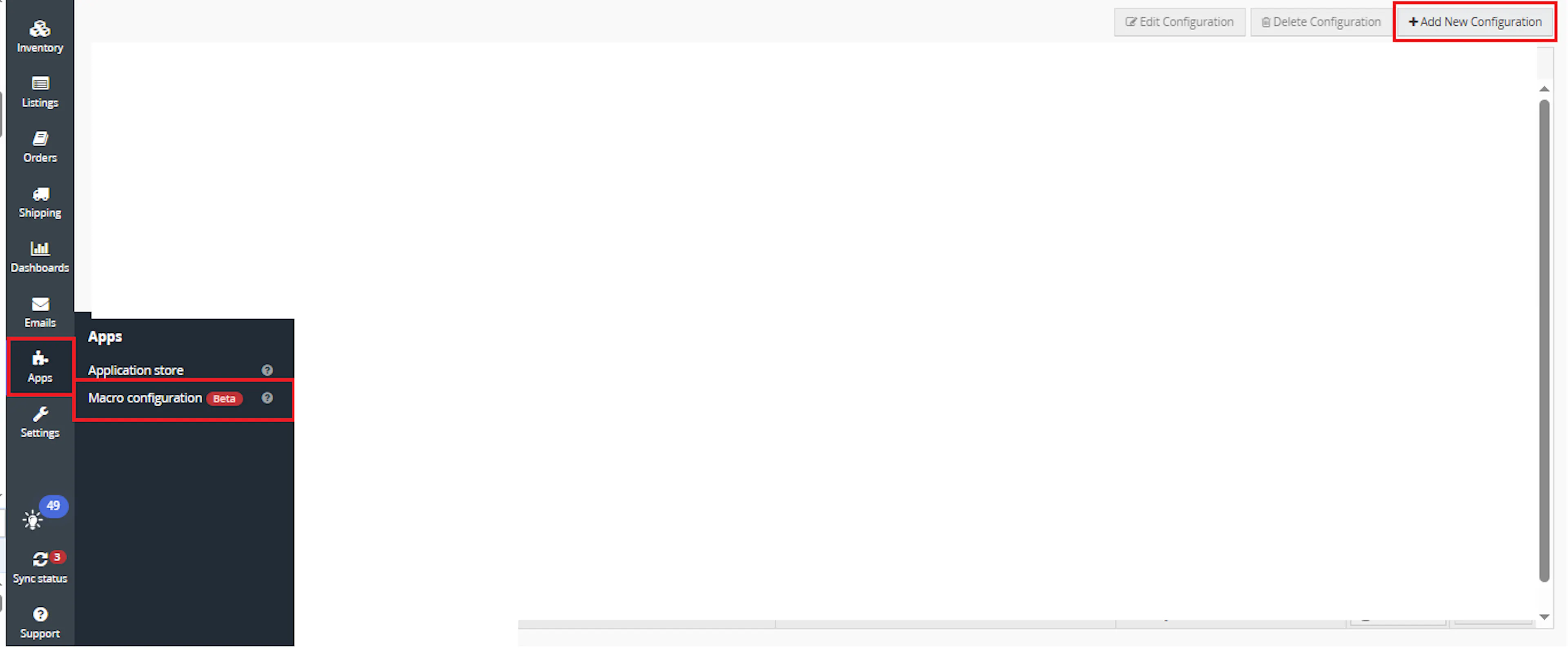
Go to Apps > Macro Configuration and click + Add new configuration.
Select the Shopify External Reference Update macro and click Create Configuration.
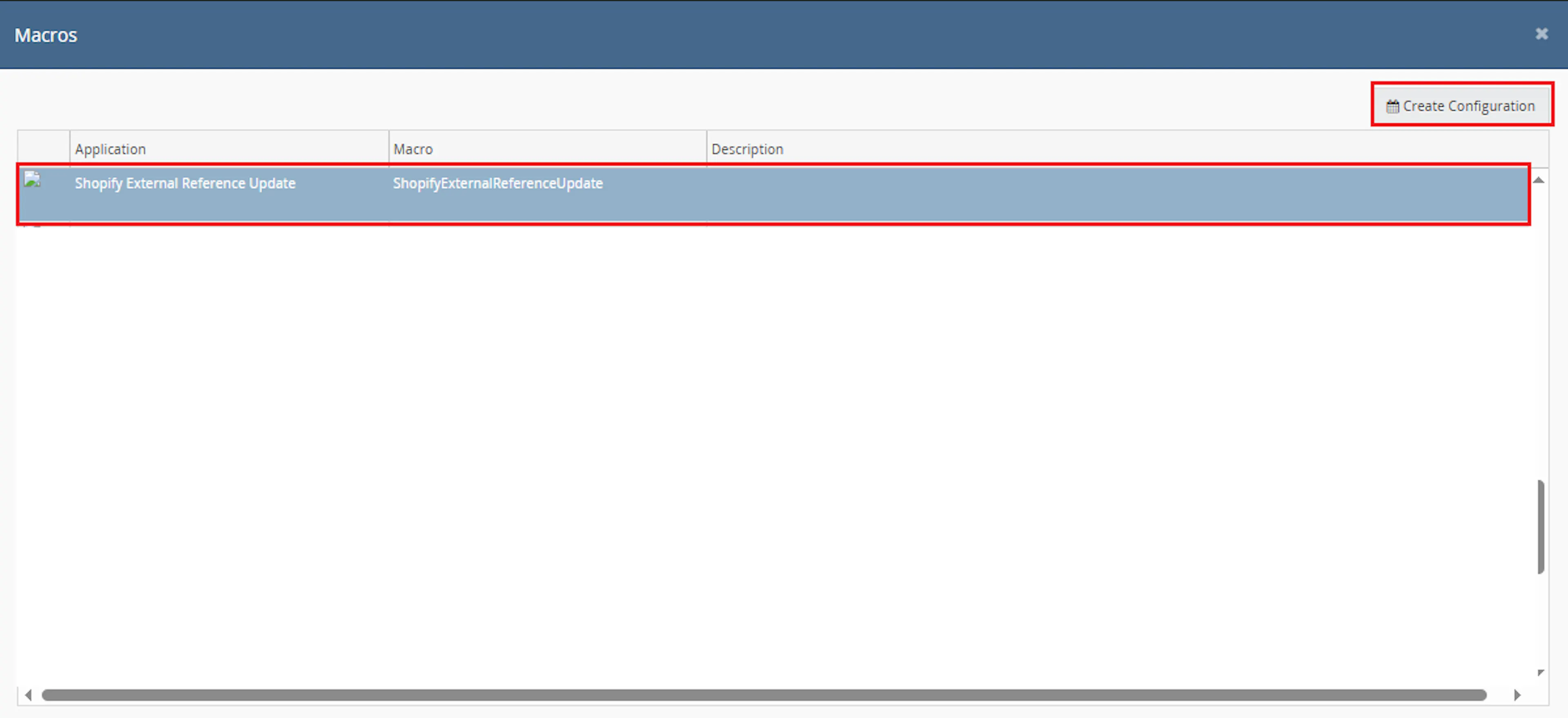
This creates a new configuration where the macro can be enabled and used by the Rule Engine.
In the Macro Configuration screen, add the configuration name and required parameter value.
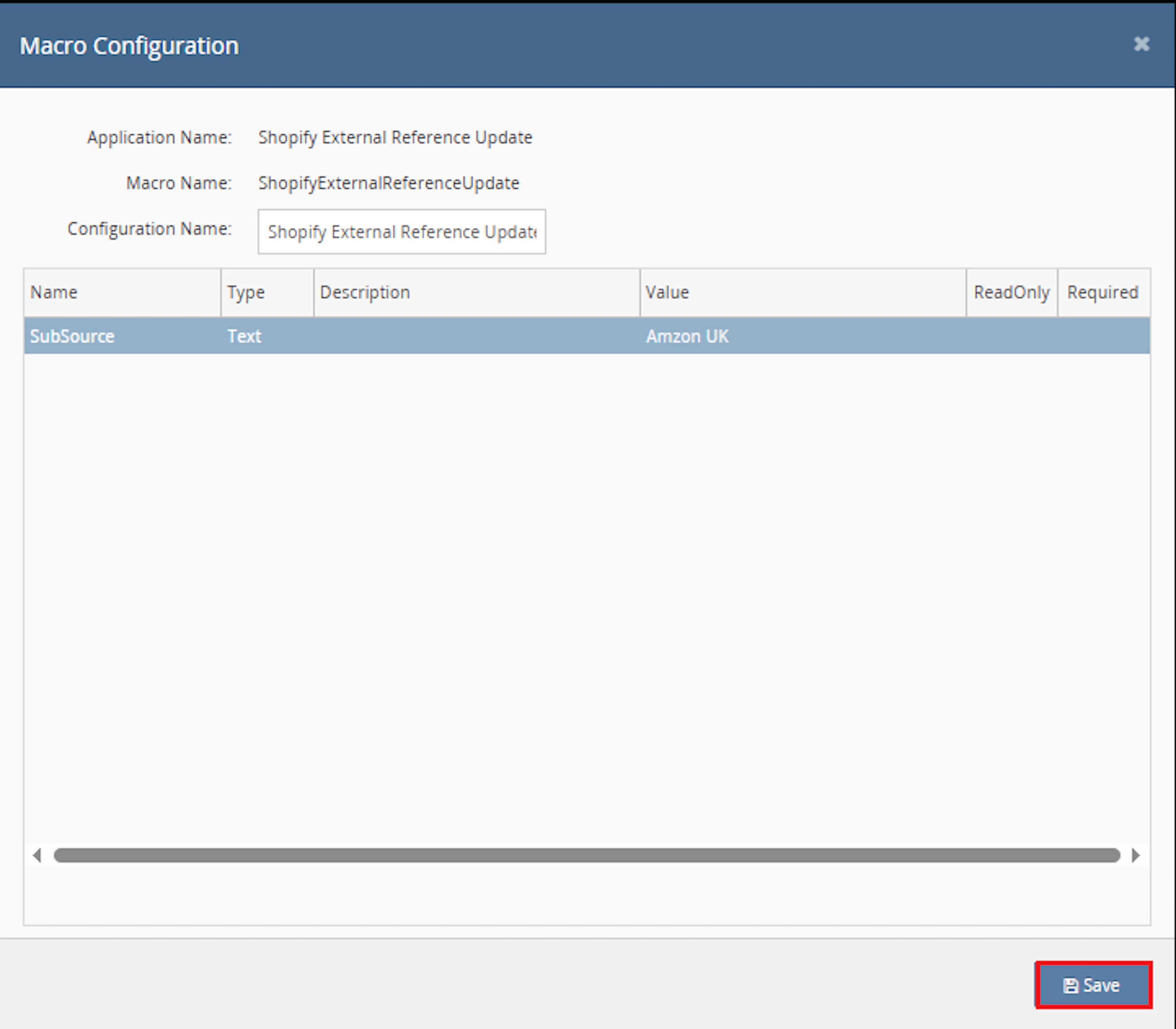
This macro uses the selected order IDs provided by the Rule Engine.
Configure the required parameter:
-
SubSource — enter the order SubSource that should be processed, for example:
Nexus Wholesale
Orders with a different SubSource are skipped.
Make sure to enable the macro to continue with the Rule Engine configuration.

Note: If the macro is not enabled, it will not appear in the Action value list when setting up the rule.
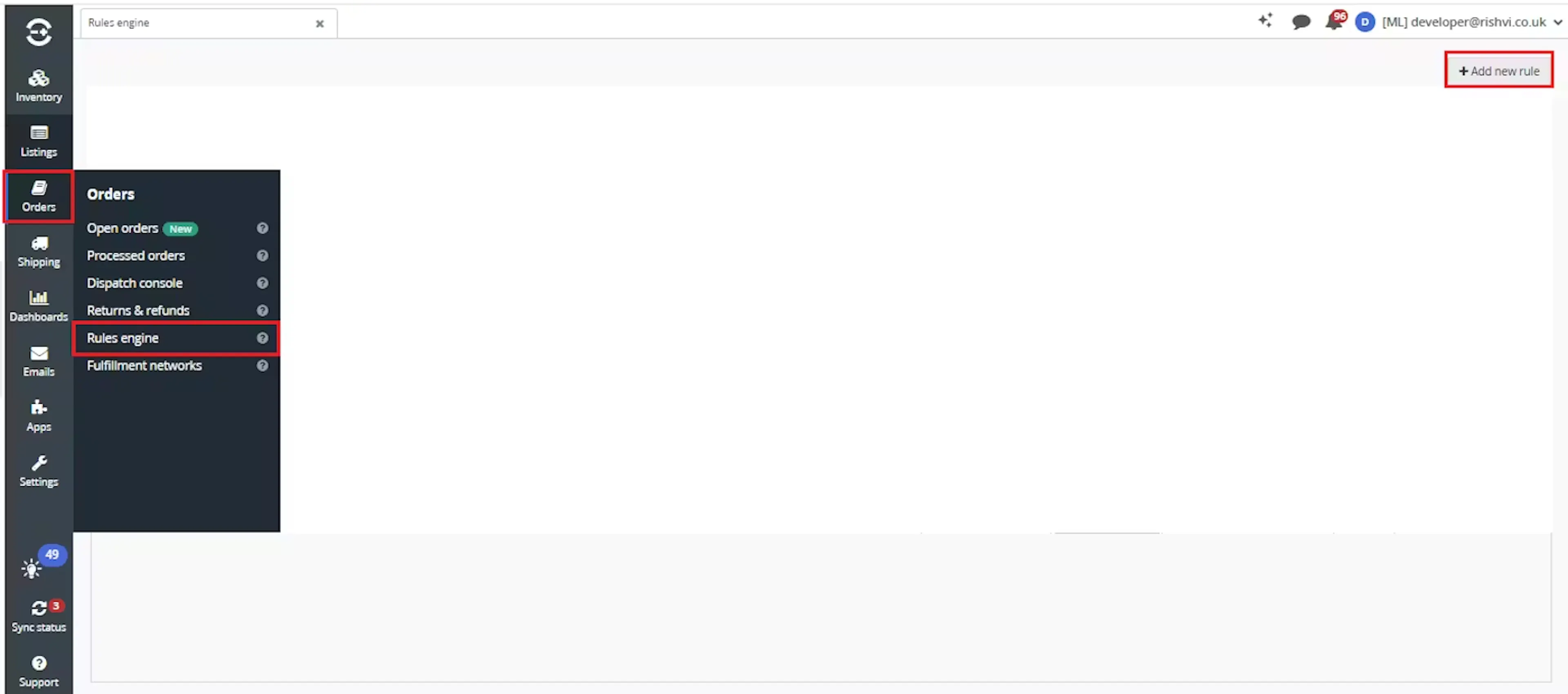
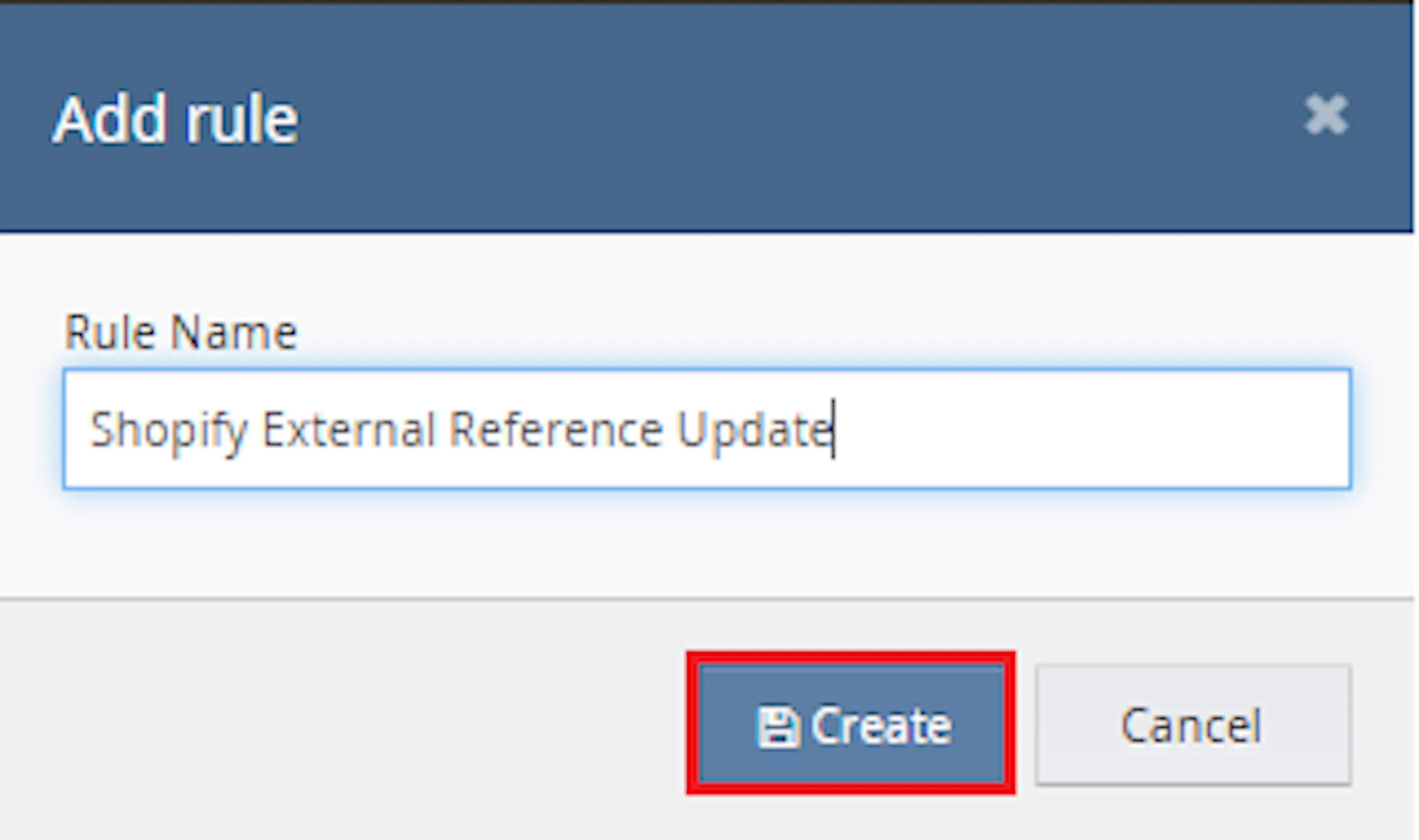
Go to Orders > Rules engine and click + Add new rule.
Enter the rule name and click Create.
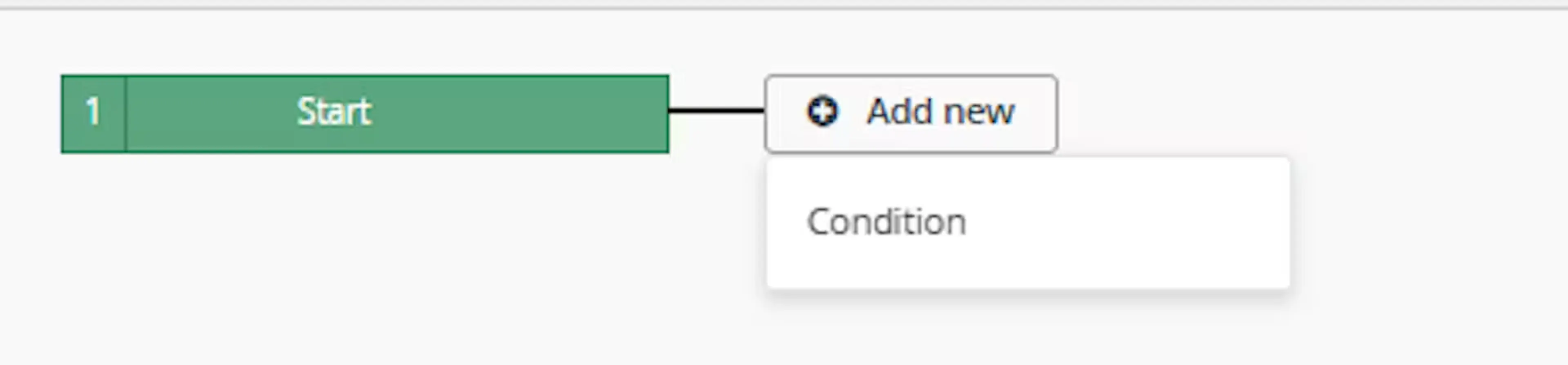
Click Add new, select Condition, set the condition as required, and save it.
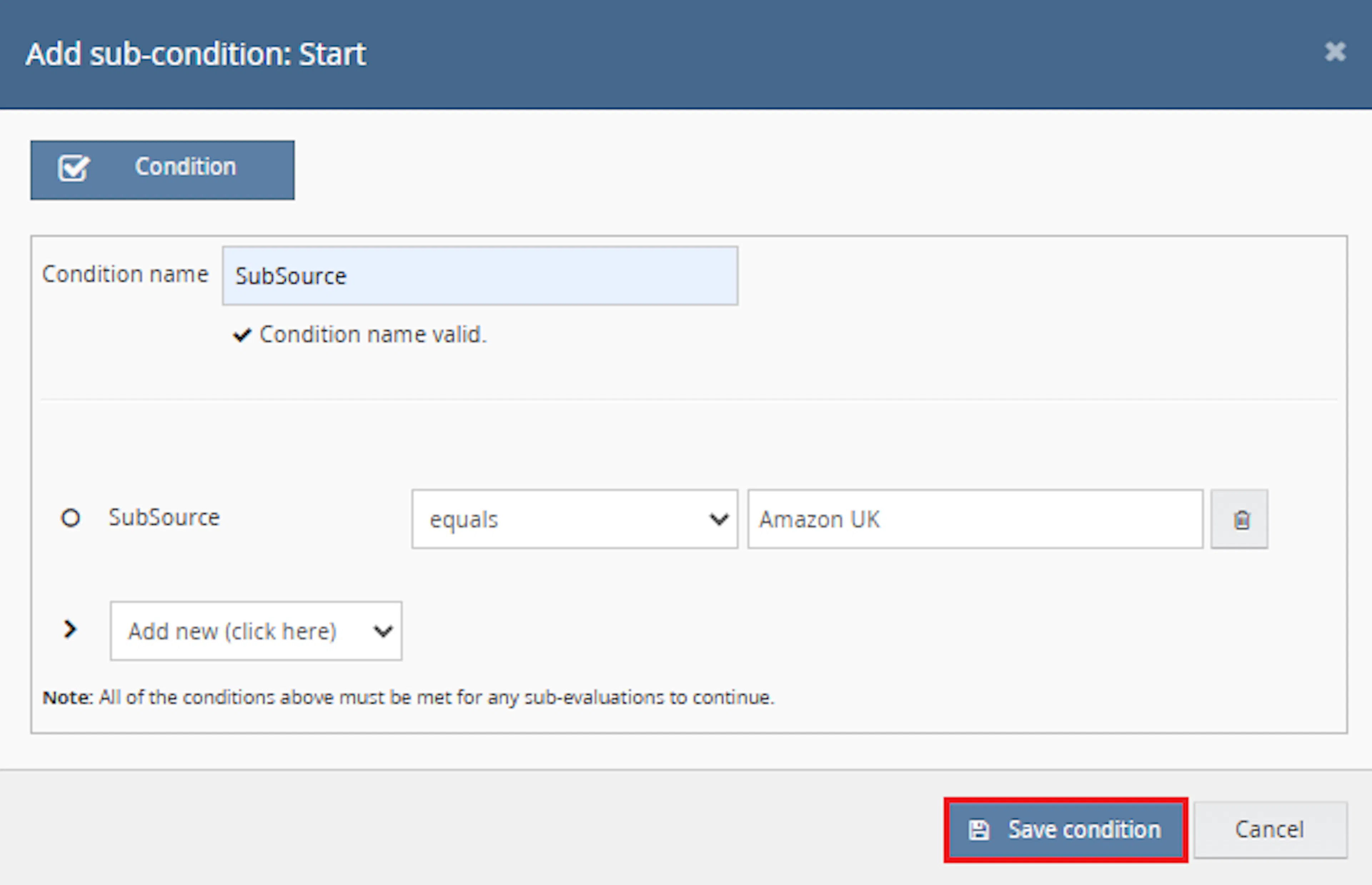
Choose the condition that identifies the orders where the XML Note value should be mapped into the External Reference Number.
Add the macro action and click Save.

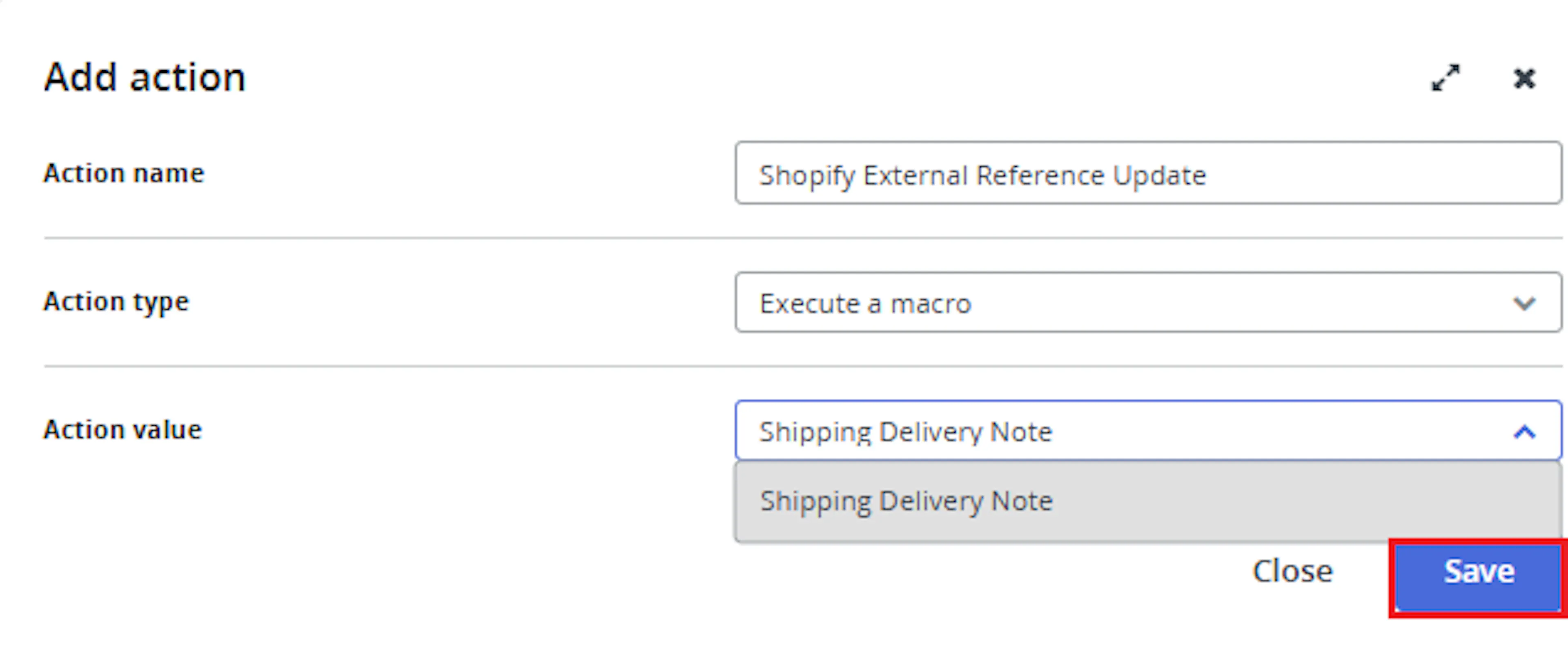
In the Add action window, enter the Action name, for example:
Shopify External Reference Update
-
Set Action type to:
Execute a macro -
In Action value, select:
Shipping Delivery Note -
Click Save
Note: If the macro is not enabled, it will not appear in the Action value list when setting up the rule.
Review the saved rule setup.
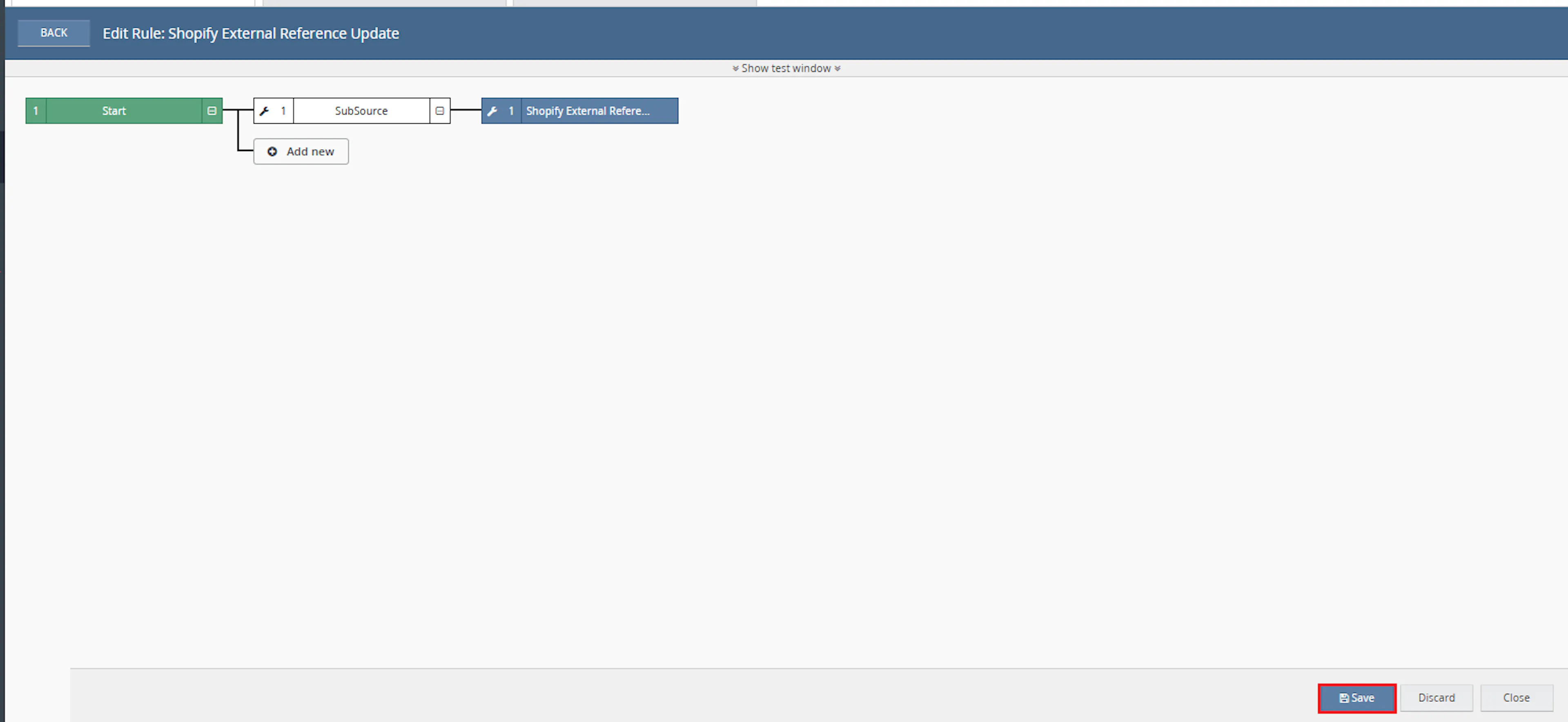
- Verify the condition and action are connected correctly
- Click Save in the bottom-right corner to save the rule
Key Benefits
Manually copying XML Note values into Linnworks order references can take time and create inconsistent results. Shopify External Reference Update applies the same validation and update process to every selected matching order.
Reduce manual reference updates, preserve previous values, and keep important marketplace reference information visible in Linnworks.
Reduce Manual Order Updates
Removes the need to manually open each selected order and copy the XML Note value into the External Reference Number.
Improve Reference Accuracy
Updates the External Reference Number directly from the validated Note value contained in the order XML.
Process Matching Orders Only
Validates the configured SubSource before applying changes so unrelated orders are skipped.
Preserve Previous References
Stores the old External Reference Number in an internal order note before replacing it.
Avoid Unnecessary Updates
Skips the order when the existing External Reference Number already matches the XML Note value.
Improve Order Traceability
Keeps previous reference values available in the Linnworks order notes for future review.
Usage of App
Shopify External Reference Update is triggered through the Linnworks Rule Engine to automatically map XML Note values into the External Reference Number.
Execution
Trigger via Rule Engine
Call the Shopify External Reference Update macro through the Rule Engine with the required OrderIds and configured SubSource. No additional manual action is required once the rule is active.
Outcome
When the macro runs against an order, it:
Validates the order SubSource
Confirms that the order SubSource matches the configured SubSource value before continuing.
Retrieves the order XML
Reads the first available XML record associated with the selected Linnworks order.
Extracts the Note value
Parses the XML, locates the Note node, trims its content, and limits the final value to 100 characters.
Preserves the previous reference
Saves the existing External Reference Number in an internal order note when a different previous value exists.
Updates the Linnworks order
Writes the validated XML Note value into the order External Reference Number.
Records the execution result
Logs successful updates, skipped orders, missing data, XML validation issues, and errors.
Input Parameters
Shopify External Reference Update requires the following inputs before it can process orders:
| Parameter | Required | Description |
|---|---|---|
| OrderIds | Yes | The Linnworks order IDs to process. Passed through the Rule Engine trigger. |
| SubSource | Yes | The exact order SubSource that is allowed to be processed, for example Nexus Wholesale. |
The following processing rules are built into the macro:
| Rule | Description |
|---|---|
| First XML record | The macro processes the first available XML record returned for the order. |
| Note node | The macro searches the XML for a node named Note. |
| Maximum reference length | The extracted Note value is limited to 100 characters. |
| Reference comparison | No update is made when the current External Reference Number already matches the Note value. |
| Previous reference backup | A different existing reference is preserved in an internal order note. |
| Duplicate note prevention | The same previous-reference backup note is not added again when it already exists. |
Best Practices
Accurate SubSource configuration and valid XML data are essential for reliable external-reference updates.
Set the exact SubSource
Enter the precise SubSource value used by the intended orders. Orders with a different value are skipped.
Validate sample XML first
Confirm that sample orders contain valid XML with a populated Note node before enabling the macro at scale.
Use targeted rule conditions
Configure Rule Engine conditions so only orders requiring XML Note mapping are passed to the macro.
Test before enabling at scale
Run the macro against a small selection of orders and confirm the External Reference Number and backup notes are correct.
Monitor Rule Engine execution
Review logs for SubSource mismatches, missing XML, invalid XML, empty Note values, and successful updates.
Review internal backup notes
Confirm that previous External Reference Numbers are preserved correctly before relying on the macro in a live workflow.
FAQ
How is Shopify External Reference Update triggered?
The macro is triggered through the Linnworks Rule Engine. When an order matches a configured rule, the relevant OrderIds are passed to the macro automatically.
What configuration values are required?
The macro requires a SubSource value. The order IDs are supplied automatically by the Rule Engine.
Which orders are processed?
Only orders where the order SubSource exactly matches the configured SubSource value are processed.
Where does the new External Reference Number come from?
The macro retrieves the first available order XML record, searches for a node named Note, and uses its value as the new External Reference Number.
What happens if the Note value is longer than 100 characters?
Only the first 100 characters are used.
What happens when the External Reference Number already matches the Note value?
The macro skips the update because no change is required.
Is the old External Reference Number preserved?
Yes. When a different existing External Reference Number is present, it is saved in an internal order note before the new value is applied.
Can the same backup note be added more than once?
The macro checks whether the same backup note already exists and avoids adding it again.
What happens if the order has no XML?
The order is skipped and the result is recorded in the macro log.
What happens if the XML is invalid?
The XML cannot be processed, so the order is skipped and the error is logged.
What happens if the XML does not contain a Note node?
No External Reference Number update is made.
What happens if the Note node is empty?
The order is skipped because there is no valid value to apply.
Does the macro process more than one XML record?
The documented behaviour uses the first available XML record returned for the order.
Does the macro overwrite the old reference without recording it?
No. A different existing reference is preserved in an internal order note before the update.
Legal Information
- Privacy Policy: https://rishvi.co.uk/privacy-policy/
- Terms and Conditions: https://rishvi.co.uk/terms-conditions/
Please review these pages to understand how data is handled and the terms governing the use of this application.
Summary
Shopify External Reference Update automates the mapping of XML Note values into the Linnworks External Reference Number.
Once configured with the required SubSource and connected to the Rule Engine, the macro validates each selected order, retrieves the first XML record, extracts the Note value, preserves any previous reference, and updates the order when valid data is available.
Automated XML Note extraction
The first available order XML record is parsed automatically to locate the Note node.
Controlled order processing
Only orders matching the configured SubSource are eligible for an update.
Previous reference preservation
Existing External Reference Numbers are saved as internal order notes before replacement.
Automatic Linnworks updates
Valid XML Note values are written directly into the External Reference Number field.
For orders that cannot be updated, review the Rule Engine and macro logs, confirm that the SubSource matches, and verify that the first order XML record contains a valid Note node.